Introduction
Hey there! Are you tired of manually typing in the time every time you need to set a specific time for your tasks? Well, worry no more! In this article, we’ll dive into the amazing world of Bootstrap Timepicker using Datetimepicker JS. Strap in, because we’re about to take your time management skills to a whole new level!

Why should you use Bootstrap Timepicker?
- Simplicity: With Bootstrap Timepicker, you can say goodbye to the hassle of manually typing in the time. The intuitive UI allows users to select the time effortlessly with just a few clicks.
- Flexibility: Bootstrap Timepicker offers a wide range of options to customize the time input to fit your specific needs. From 12-hour to 24-hour format, step intervals, and time range restrictions, you have full control over how the time is displayed and accepted.
- Seamless integration: Bootstrap Timepicker seamlessly integrates with Bootstrap, making it a perfect fit for any Bootstrap-based project. It’s easy to install and even easier to use, allowing you to enhance your existing projects with minimal effort.
Step: Create a HTML Page
<html lang="en">
<head>
    <title>Bootstrap Timepicker</title>
    <link href="https://maxcdn.bootstrapcdn.com/bootstrap/3.3.6/css/bootstrap.min.css" rel="stylesheet">
    <script src="http://ajax.googleapis.com/ajax/libs/jquery/1.9.1/jquery.js"></script>
    <script src="https://maxcdn.bootstrapcdn.com/bootstrap/3.3.6/js/bootstrap.min.js"></script>
    <script type="text/javascript" src="https://cdnjs.cloudflare.com/ajax/libs/moment.js/2.9.0/moment.min.js"></script>
    <link href="https://cdnjs.cloudflare.com/ajax/libs/bootstrap-datetimepicker/4.17.37/css/bootstrap-datetimepicker.min.css" rel="stylesheet">
    <script src="https://cdnjs.cloudflare.com/ajax/libs/bootstrap-datetimepicker/4.17.37/js/bootstrap-datetimepicker.min.js"></script>
</head>
<body>


<div class="container" style="margin-top: 20px">
    <div style="position: relative">
        <input class="form-control" type="text" id="time"/>
    </div>
</div>


<script>
    $('#time').datetimepicker({
        format: 'HH:mm:ss'
    });
</script>


</body>
</html>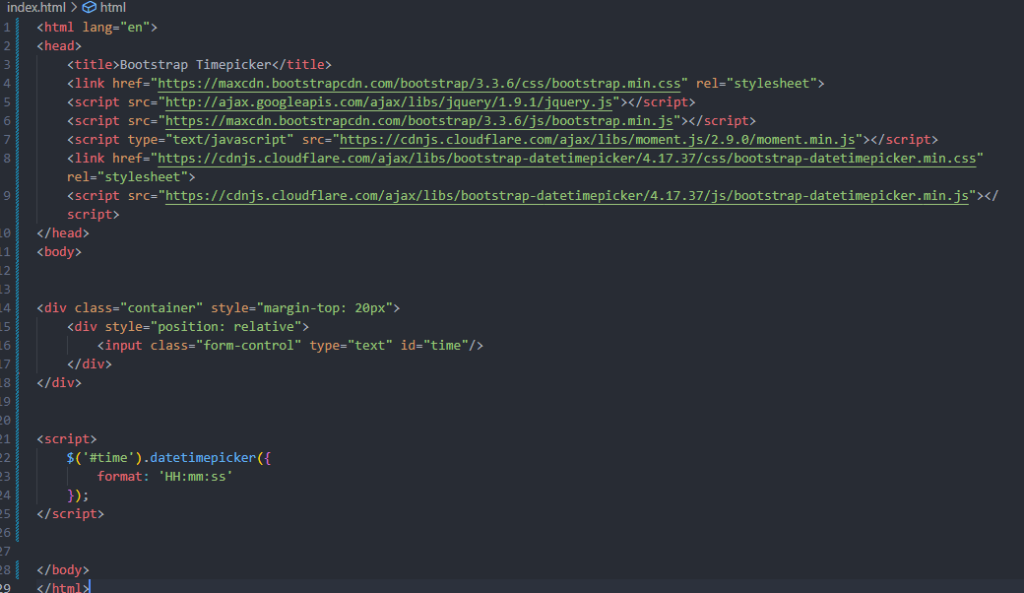
Output:-

Hopefully, It will help you …!!!
