What is the function of Image to PDF converter Tool ?
An Image to PDF converter tool is a software program that allows users to convert image files into PDF format. This type of tool can be useful in situations where you have multiple image files that you want to combine into a single PDF document for easier sharing, printing or archiving purposes.
The Image to PDF converter tool typically supports a variety of image file formats such as JPEG, PNG, BMP, TIFF, and GIF. The tool takes in the image files as input and then converts them into a PDF file. The output PDF file can be customized to include multiple pages, page size, margins, and orientation.
There are several benefits to using an Image to PDF converter tool. For example, it allows you to organize and combine multiple image files into a single document. Additionally, it enables you to compress image files, which can be helpful in reducing file size for easier sharing and storage.
Overall, an Image to PDF converter tool can be a useful software program for anyone who needs to convert image files to PDF format. It can save time, make file management easier, and provide a more professional look to your documents.
Feature Of Image to PDF tool Converter
The features of an Image to PDF converter tool may vary depending on the specific software program, but here are some common features that you can expect to find:
- Batch Conversion: An Image to PDF converter tool allows you to convert multiple image files into PDF format at once, which saves time and effort.
- Customization Options: The tool provides various customization options to control the output PDF’s page size, margins, compression, and orientation.
- Compression: Image-to-PDF converter tools can compress images during the conversion process, resulting in smaller PDF files that are easier to share and store.
- Security: Some Image to PDF converter tools offer security features such as password protection to prevent unauthorized access to your PDF files.
- Watermarking: You can add a watermark to your PDF files with the Image to PDF converter tool to protect your document’s authenticity and prevent unauthorized use.
- User-friendly Interface: Many Images to PDF converter tools have an intuitive user interface, making it easy for users to navigate the software and convert their images to PDF format.
Overall, an Image to PDF converter tool can be a valuable tool for individuals or businesses that need to convert multiple image files to PDF format. The software’s features can help to improve workflow efficiency and increase the professionalism of your documents.
How Wizbrand’s Image to PDF converter tool would help?
This Wizbrand offers a simple and easy-to-use tool that allows you to convert Image to PDF in just a few clicks.
- Combining multiple images into a single document: If you have a collection of images that you want to combine into a single document, an Image to PDF tool converter can quickly and easily create a PDF file that includes all of the images.
- Standardizing file format: Converting images to PDF format can help standardize the file format, making it easier to share, view, and print. PDF is a widely used file format that can be opened on almost any device, and can be printed without losing quality.
- Compression: An Image to PDF tool converter can also compress the images, which can reduce the overall file size of the PDF document, making it easier to share and store.
How User Use Image to PDF Converter Tool Online
Wizbrand provides many tools but now let’s discuss Image to PDF converter
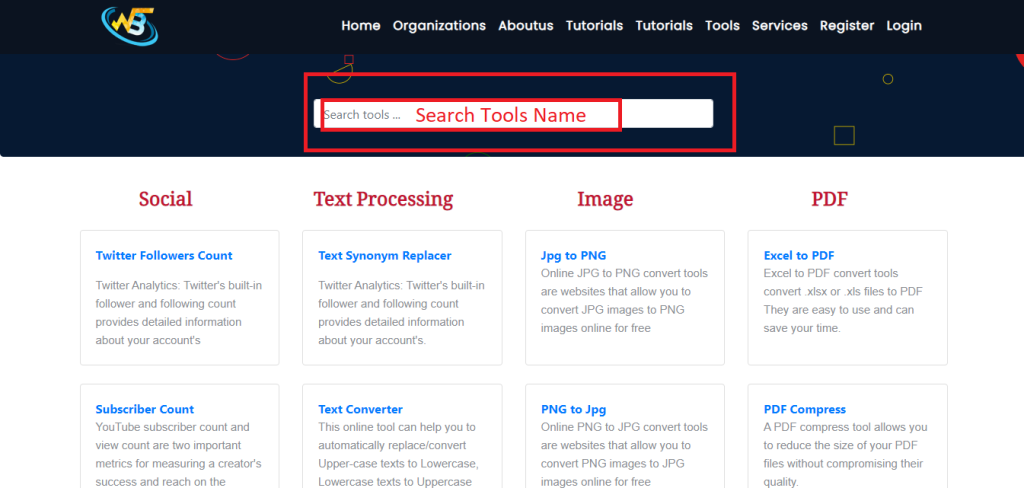
Step 1: Search https://www.wizbrand.com/tools/

Step 2: Search Which Converter Required
Step 3: Select or drop your image file which you want to convert to pdf file
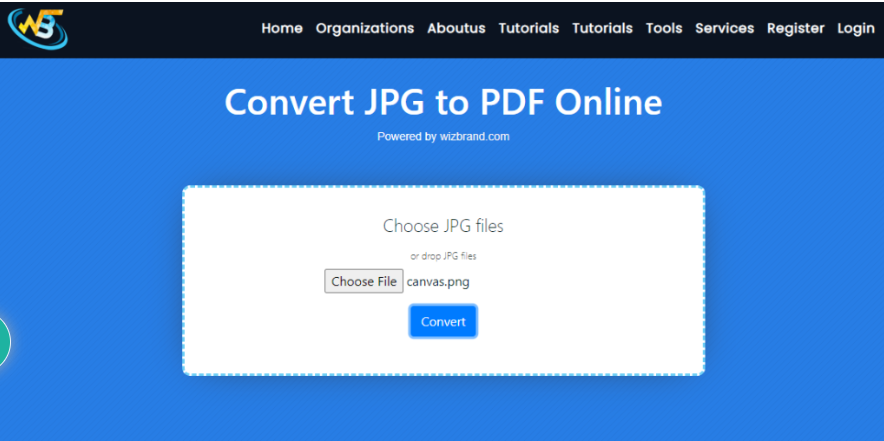
Step 4: Click on the Convert button to download the converted PDF file.
Follow the Links For Further Action
