A crop image tool empowers you to enhance your images, control their composition, optimize them for different platforms, and achieve visually appealing results with precision and efficiency. It is an essential tool for photographers, graphic designers, social media managers, website owners, and anyone who works with images and wants to create impactful visuals.
Function and Benefits of a Crop Image Tool:
- Precision Cropping: A crop image tool allows you to precisely select and crop specific areas of an image, enabling you to focus on the most important elements or remove unwanted parts. It ensures accurate and clean cropping, enhancing the overall composition of the image.
- Image Enhancement: Cropping an image can help improve its visual appeal by eliminating distracting or unnecessary elements. It allows you to emphasize the subject, create a better focal point, or adjust the image’s aspect ratio to fit specific requirements.
- Composition Control: With a crop image tool, you have full control over the composition of your images. You can follow composition guidelines such as the rule of thirds or golden ratio, balance elements, and create visually pleasing images that effectively convey your message or story.
- Aspect Ratio Adjustments: Cropping tools enable you to change the aspect ratio of an image, making it suitable for different platforms or applications. For example, you can crop an image to fit specific social media dimensions or resize it to match a website’s layout.
- Image Optimization: By cropping an image, you can reduce its file size and optimize it for web use. Removing unnecessary parts of an image reduces its overall file size, leading to faster loading times and improved website performance.
- Visual Consistency: A crop image tool helps maintain visual consistency across a set of images. By cropping them to similar dimensions or ratios, you can create a cohesive look and feel, whether it’s for a gallery, portfolio, or social media feed.
- Creative Freedom: Cropping an image allows you to experiment and explore different compositions, giving you the freedom to express your creativity and artistic vision. It opens up possibilities for unique perspectives and storytelling through visuals.
- Time Efficiency: Using a crop image tool saves time compared to manual cropping or relying on complex image editing software. It provides a user-friendly interface with intuitive controls, making the cropping process quick and straightforward.
How Wizbrand‘s image crop tool would help?
The Image for social sites tool by Wizbrand is an efficient solution for users who need to resize their images for various social media platforms. The tool offers different frame sizes for platforms like Facebook, Instagram, Twitter, and LinkedIn. To use the tool, users just need to upload their images and select the desired frame size. The tool will then automatically resize the image, eliminating the need for manual editing. By using this tool, users can be sure that their images meet the requirements and look great on their chosen social media platforms, all while saving time and effort.
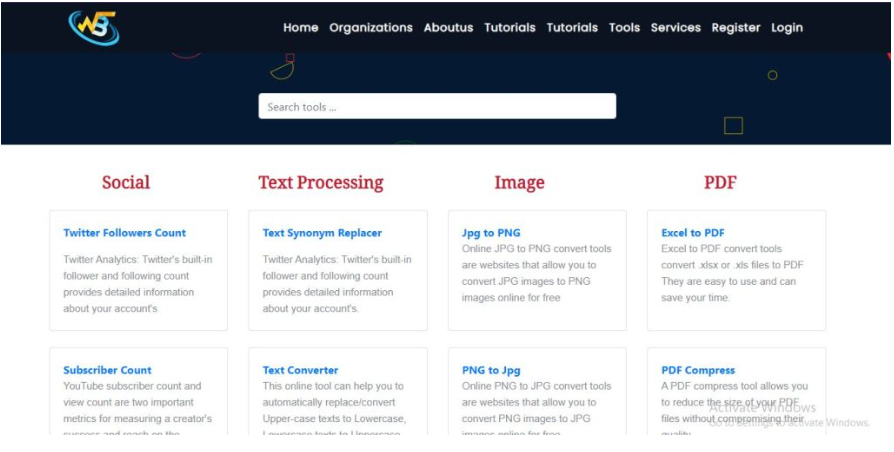
Step 1:- Go to wizbrand.com, search Crop tool, and many more tools.
Step 2:- Or Directly click on https://www.wizbrand.com/tools/img_cropper
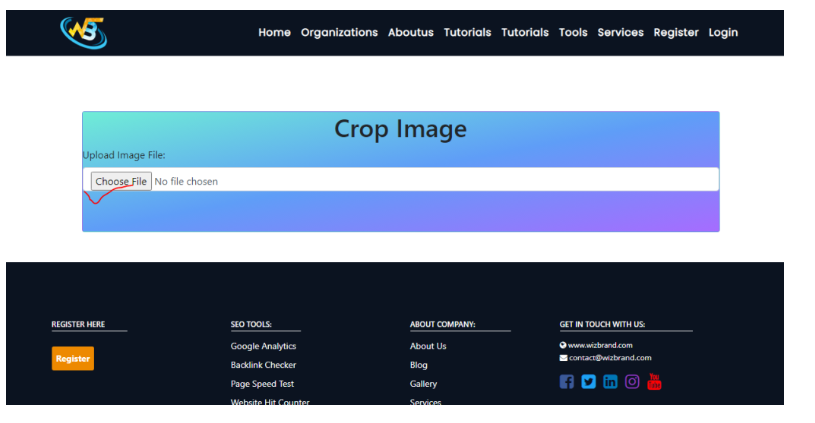
Step 3:- Choose Your Image
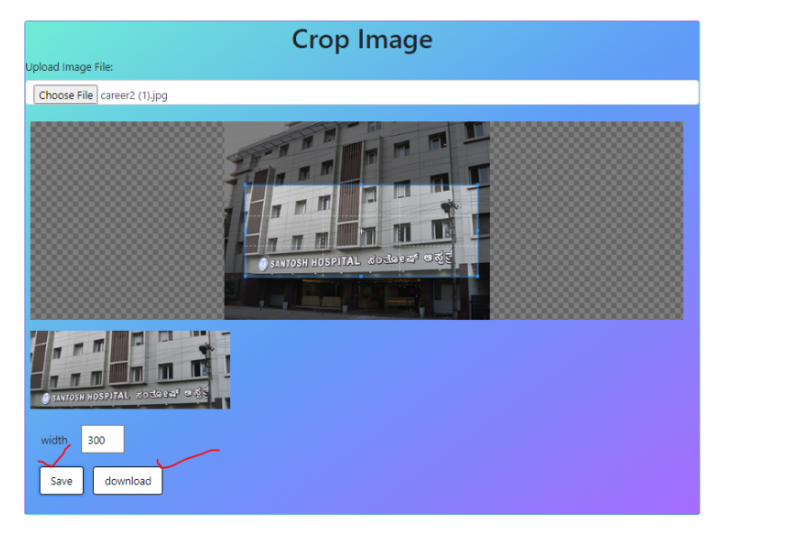
Output:-

These are useful links
Hopefully, it can help you!!!
