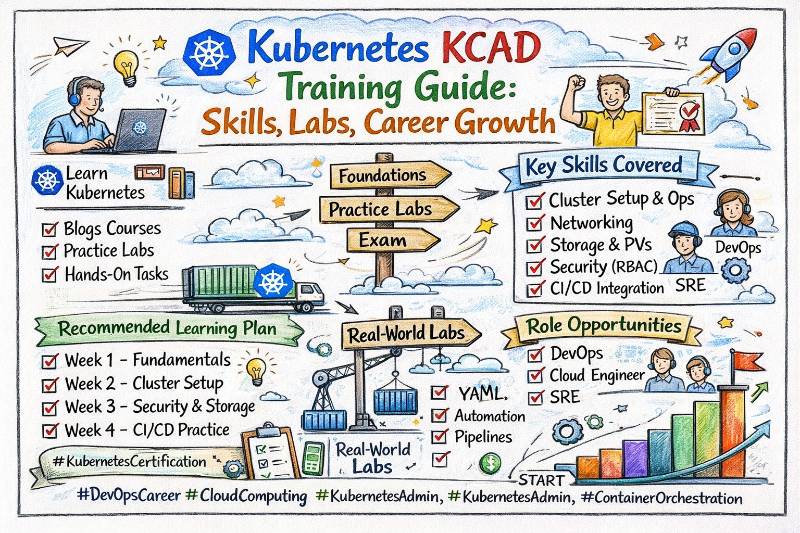
Introduction
Kubernetes is no longer just a “good-to-have” skill; it is the operating system of the modern cloud. For the past two decades, I have watched infrastructure evolve from racking physical servers to defining entire data centers in YAML. Today, if you cannot manage a cluster or deploy microservices efficiently, you are already behind. The Kubernetes Certified Administrator & Developer (KCAD) is a unique, dual-focused track designed to bridge the gap between managing clusters (Ops) and building on them (Dev). Most engineers stop at one, but true mastery requires understanding both sides of the orchestration layer. This guide covers everything you need to know about the KCAD program—from the syllabus and projects to the career paths it opens.
KCAD Certification at a Glance
| Feature | Details |
|---|---|
| Certification Name | Kubernetes Certified Administrator & Developer (KCAD) |
| Track | Container Orchestration & Cloud-Native |
| Level | Intermediate to Advanced |
| Who It’s For | DevOps Engineers, SREs, Platform Engineers, Cloud Architects, Backend Developers |
| Prerequisites | Basic Linux (CLI), YAML, Docker/Container concepts, Basic Networking |
| Skills Covered | Cluster Architecture, Networking, Workloads, Scheduling, Security, Troubleshooting, App Deployment |
| Recommended Order | Linux/Docker Basics → KCAD → CKS (Security) |
Deep Dive: What is the KCAD?
What It Is
The KCAD is a comprehensive training and certification program that combines the competencies of a Cluster Administrator (CKA) and an Application Developer (CKAD). It doesn’t just teach you how to run commands; it teaches you how to architect scalable systems. You learn to bootstrap clusters from scratch, secure them with RBAC, and deploy complex, multi-container applications that can self-heal. Unlike other certifications that might focus on a specific cloud provider’s managed service (like EKS or AKS), KCAD focuses on “Vanilla” Kubernetes. This is crucial because it gives you the deep, portable knowledge to work in any environment, whether it’s on-premise bare metal or a public cloud.
Who Should Take It
- System Admins transitioning to DevOps who need to understand the “Developer” side of k8s to better support engineering teams.
- Developers who are tired of throwing code over the wall and want to own their infrastructure, ensuring their apps run efficiently in production.
- DevOps Engineers aiming for senior roles where they must design platform architecture, not just support it.
- Cloud Architects who need to design hybrid or multi-cloud solutions where Kubernetes serves as the common abstraction layer.
Skills You’ll Gain
- Cluster Bootstrapping & Maintenance: Building High-Availability (HA) clusters using
kubeadm, managing etcd backup/restore, and performing cluster version upgrades without downtime. - Workload Scheduling: Mastering advanced scheduling techniques like Taints, Tolerations, Node Affinity, Pod Anti-Affinity, and managing compute resources with Requests, Limits, and Quotas.
- Networking Mastery: configuring Container Network Interface (CNI) plugins (like Calico or Flannel), managing Services (ClusterIP, NodePort, LoadBalancer), setting up Ingress Controllers, and locking down traffic with Network Policies.
- Storage Management: Implementing persistent storage solutions using Persistent Volumes (PV), Persistent Volume Claims (PVC), and Storage Classes to handle stateful applications like databases.
- Security & RBAC: Creating Users, ServiceAccounts, and Roles; binding them securely using RoleBinding and ClusterRoleBinding; and managing Secrets for sensitive data.
- Troubleshooting: Systematically debugging crashed pods, analyzing system logs (journald), fixing broken nodes, and troubleshooting control plane component failures.
- Application Deployment: Deploying and scaling microservices using Deployments, DaemonSets, StatefulSets, and Jobs; understanding Helm charts for package management.
Real-World Projects You Will Build
Theory is useless without practice. After this certification, you should be able to deliver:
- End-to-End Microservices Deployment: Deploying a multi-tier application (e.g., a Python Flask frontend + Redis backend) with strict network policies, ensuring the frontend can talk to the backend but the backend is isolated from the public internet.
- Zero-Downtime Rolling Updates: Implementing deployment strategies that update a live application from v1 to v2 without dropping a single user request, utilizing readiness and liveness probes.
- Cluster Upgrades: Upgrading a live Kubernetes cluster (control plane and worker nodes) from one minor version to another (e.g., v1.30 to v1.31) without disrupting running workloads.
- Disaster Recovery Drill: Simulating a catastrophic failure of the master node and successfully restoring the cluster state from an
etcdsnapshot to bring the cluster back online.
Preparation Plan: How to Pass
The exam is practical. You cannot multiple-choice your way through it. You need muscle memory.
7–14 Days (Fast Track):
- Prerequisite: You already know Docker and basic K8s concepts well.
- Focus: Speed and accuracy with
kubectl. - Daily Routine: 4 hours of hands-on labs. Focus strictly on imperative commands (
kubectl run,kubectl expose,kubectl create deployment) to generate YAML quickly rather than writing it by hand. - Goal: Solve standard tasks (e.g., “create a pod with this image and expose it on port 80”) in under 2 minutes.
30 Days (Recommended):
- Prerequisite: Some familiarity with Linux and containers.
- Focus: Deep understanding of concepts + hands-on practice.
- Weeks 1-2: Architecture, Installation using
kubeadm, and Core Primitives (Pods, Deployments, ReplicaSets). - Week 3: Advanced topics: Networking (Ingress, Policies), Services, and Storage (PV/PVC).
- Week 4: Troubleshooting drills (break a cluster and fix it) and mock exams.
60 Days (From Scratch):
- Prerequisite: Complete beginner.
- Focus: Building a strong foundation.
- Month 1: Linux networking internals (IPs, DNS, firewall), Docker deep dive (images, containers, volumes), and basic K8s concepts.
- Month 2: Advanced scheduling, security (RBAC), Service Accounts, and complex labs. Dedicate the last week entirely to mock exams.
Common Mistakes to Avoid
- Relying on YAML files: In the exam, writing YAML from scratch is too slow and error-prone. Master the
kubectlimperative generators and use--dry-run=client -o yamlto create templates. - Ignoring Contexts: Failing to switch clusters (context) before running commands is the #1 reason for failure. Always check your current context (
kubectl config current-context). - Sticking to the UI: The Kubernetes Dashboard is not your friend here; the CLI is. You need to be fast and comfortable in the terminal.
- Overlooking Documentation: You are allowed to use the official Kubernetes docs during the exam. Learn to search them quickly; you don’t need to memorize every field, just know where to find the “Copy/Paste” examples.
- Not testing your work: After creating a resource, always verify it works (e.g.,
curlthe service IP) before moving to the next question.
Choose Your Path: Career Tracks
Kubernetes is the baseline, but your specialization dictates your future. Here is how KCAD fits into different career trajectories:
- DevOps Path: KCAD → Helm/ArgoCD → GitOps Mastery. Focus: Automating the delivery pipeline and managing cluster configuration as code.
- DevSecOps Path: KCAD → CKS (Security) → OPA/Gatekeeper policies. Focus: Hardening clusters, scanning images, and enforcing compliance policies.
- SRE Path: KCAD → Prometheus/Grafana → Chaos Engineering. Focus: Observability, reliability, and maintaining SLOs/SLAs.
- AIOps/MLOps Path: KCAD → Kubeflow → Model Serving on K8s. Focus: Orchestrating complex machine learning workflows and GPU resources on K8s.
- DataOps Path: KCAD → Spark on K8s → Airflow operators. Focus: Running big data processing jobs efficiently on containerized infrastructure.
- FinOps Path: KCAD → Kubecost → Resource Optimization & Limits. Focus: Managing cloud spend, implementing showback/chargeback, and optimizing resource requests.
Role → Recommended Certifications
| Role | Recommended Certifications | Why? |
|---|---|---|
| DevOps Engineer | KCAD + CKA | Core requirement. You need to know how to build and manage the platforms developers use. |
| SRE | KCAD + CKS | SREs focus on stability. You need the admin skills of KCAD plus the security depth of CKS to keep systems reliable and safe. |
| Platform Engineer | KCAD + CKA + Helm | You are building the “product” that developers use. Deep K8s knowledge is non-negotiable for creating Internal Developer Platforms (IDPs). |
| Cloud Engineer | KCAD + AWS/Azure Certs | Even if you use managed services like EKS or AKS, you need to understand the K8s internals to debug issues effectively. |
| Security Engineer | KCAD + CKS | You cannot secure what you do not understand. KCAD gives you the context; CKS gives you the tools. |
| Data Engineer | KCAD (Developer track focus) | Modern data pipelines (Spark, Flink, Kafka) increasingly run on Kubernetes. You need to know how to deploy and tune them. |
| FinOps Practitioner | KCAD (Basics) | To effectively manage costs, you need to understand namespaces, resource quotas, and how to tag resources for cost allocation. |
| Engineering Manager | KCAD (Foundation) | To effectively lead teams, estimate technical complexity, and make informed architectural decisions, you need a high-level understanding of K8s. |
Top Institutions for KCAD Training
Choosing the right training partner is critical. Here are the top providers that offer comprehensive support for KCAD:
- DevOpsSchool: The premier destination for this specific certification. They offer intense, project-based training that covers both the admin and dev tracks deeply. Their “training by practitioners” approach ensures you learn real-world skills, not just exam dumps. They provide lifetime LMS access and community support.
- Cotocus: Known for their consultancy-led training approach. Their instructors often bring real-world consulting experience into the classroom, making the scenarios highly realistic and business-focused.
- Scmgalaxy: A great resource for community-driven learning and configuration management. They provide strong foundational materials, a vast repository of tutorials, and a supportive community for troubleshooting.
- BestDevOps: Focuses on curating the “best of breed” tools and practices. Their training often integrates KCAD with modern CI/CD tools (Jenkins, GitLab CI) for a broader, more integrated picture.
- devsecopsschool: If security is your main focus, they add a strong layer of security context to the standard Kubernetes curriculum, teaching you how to secure your clusters from day one.
- sreschool: Ideal if you are looking at Kubernetes through the lens of reliability and site stability. They emphasize troubleshooting, observability, and building resilient systems.
- aiopsschool: Perfect for those wanting to run AI workloads on K8s. They bridge the gap between models and orchestration, teaching you how to serve models at scale.
- dataopsschool: Focuses on the data engineering aspect of K8s, teaching you how to run stateful big data workloads on containers and manage persistent storage effectively.
- finopsschool: Specializes in the cost and governance side, helping you understand how to manage K8s spend effectively and implement financial operations in a cloud-native environment.
Next Steps
Once you conquer KCAD, do not stop.
- Same Track: Certified Kubernetes Security Specialist (CKS) – the natural next step to become a true expert.
- Cross-Track: AWS Certified DevOps Professional or Azure DevOps Engineer – to master the cloud platform your clusters run on.
- Leadership: Certified Agile Leadership or Engineering Management – if you want to move into management while keeping your technical edge.
FAQs: Kubernetes Certified Administrator & Developer (KCAD)
1. Is KCAD better than taking CKA and CKAD separately?
Yes, for most professionals. In the real world, the lines between “Admin” and “Developer” are blurred. Admins need to debug pods, and Developers need to understand how their code impacts the cluster. KCAD prepares you for this holistic reality, saving you time and money compared to taking two separate courses.
2. How hard is the exam compared to others?
It is considered one of the tougher IT certifications because it is 100% performance-based. There are no multiple-choice questions; you must solve live issues in a terminal under time pressure. It tests actual skill, not memorization.
3. Do I need to know programming to pass?
You do not need to be a developer, but you must be comfortable reading code (Python/Node.js/Go) to understand what an application is doing. You definitely need to be fluent in YAML and comfortable with scripting (Bash) to automate tasks.
4. How long is the certification valid?
Typically, Kubernetes certifications are valid for 2 or 3 years. The cloud-native ecosystem moves fast, so recertification ensures you are up to date with the latest API versions and best practices.
5. Can I take this if I am a complete beginner?
It is not recommended. You should have a solid grasp of Linux (command line) and Docker containers first. If you are new, start with a “Linux Basics” and “Docker Fundamentals” course before attempting KCAD.
6. What is the passing score?
While it varies slightly by specific exam version, you generally need a score of 66% or higher to pass. However, do not aim for 66%; aim for 90% during practice to ensure a buffer for exam-day nerves.
7. Does this cover Cloud-Managed K8s like EKS or AKS?
KCAD focuses on “Vanilla” Kubernetes. This is actually better, because if you know vanilla K8s, you can work on EKS, AKS, GKE, or on-prem. The reverse is not always true; knowing only EKS might leave you lost when dealing with a raw cluster.
8. Will this increase my salary?
Absolutely. Kubernetes skills are among the highest-paid in the tech industry. Validating your expertise with KCAD allows you to negotiate for Senior DevOps and SRE roles with confidence, often commanding a significant premium over generalist sysadmins.
9. What are the system requirements for the exam?
You need a reliable internet connection, a webcam, and a microphone (for proctoring). You should also have a quiet room. The exam runs in a browser-based terminal, so you don’t need a supercomputer, but a decent screen size helps for managing multiple terminal windows.
10. Can I use Google during the exam?
No, you cannot use Google. However, you are allowed to have one tab open to the official Kubernetes documentation (kubernetes.io/docs). Learning how to search this documentation effectively is a key skill for passing.
11. What happens if I fail the exam?
Don’t panic. Most certification providers offer a free retake if you fail your first attempt. Use the score report to identify your weak areas, study them intensely, and try again.
12. Is the exam proctored?
Yes, it is remotely proctored. A proctor will monitor you via webcam and screen sharing to ensure the integrity of the exam. You must show your ID and scan your room before starting.
FAQs: Kubernetes Certified Administrator & Developer (KCAD)
1. Can I use Google or StackOverflow during the KCAD exam?
No, you cannot use general search engines. However, it is an “open book” exam in a strictly limited sense: you are allowed to have one active tab open to the official Kubernetes documentation (kubernetes.io/docs, helm.sh/docs, etc.). Learning to search this documentation efficiently (using the search bar effectively) is a critical skill, as you won’t have time to browse or read long tutorials.
2. Do I need to be a programmer (Python/Go) to pass this?
You do not need to be a software developer. You won’t be asked to write application code. However, you must be comfortable reading and editing YAML and JSON files, as these are the language of Kubernetes configuration. A basic understanding of Bash scripting is also highly recommended for automating repetitive tasks during the exam.
3. Kubernetes releases new versions frequently. Which version does the exam use?
The exam generally trails the latest Kubernetes release by a few months to ensure stability. It is crucial to check the official FAQ or candidate handbook right before you schedule your exam to know exactly which version (e.g., v1.30 vs v1.31) you will be tested on, as API versions for certain resources (like Ingress or CronJobs) might differ.
4. What happens if I fail the exam on the first attempt?
Don’t panic—this is very common given the difficulty level. Most standard exam vouchers for Kubernetes certifications include one free retake. If you fail, you will receive a score report breaking down your performance by section. Use this to identify your weak spots (e.g., Storage or Networking) and focus your study there before using your retake.
5. How much Linux knowledge is actually required?
You need more than just basic file navigation. You should understand system architecture concepts like systemd (managing services), journald (checking logs), and basic networking (IPs, DNS resolution, and firewall rules). If a kubelet service crashes, you need to know how to restart it from the Linux command line, not just via kubectl.
6. Does the KCAD exam cover Helm and Custom Resource Definitions (CRDs)?
Yes, but usually at a foundational level. You should know how to install a Helm chart, upgrade a release, and list existing releases. For CRDs, you typically need to know how to back them up or interact with them, but you rarely need to write complex CRDs or build Helm charts from scratch. Focus 90% of your energy on native Kubernetes objects.
7. What is the passing score, and how is it calculated?
The passing score is typically 66%. However, questions are weighted by difficulty. A complex troubleshooting question might be worth 12% of your total score, while a simple “create a pod” task might be worth 4%. You don’t need to answer every question perfectly; prioritize the high-weight tasks first to secure the passing threshold.
8. How long is the KCAD certification valid?
The certification is generally valid for 3 years (unlike some vendor-specific certs that expire in 2). To renew, you can either retake the exam or, in some cases, pass a higher-level expert certification if available. Given how fast the cloud-native ecosystem evolves, 3 years is a lifetime in tech, so keeping your skills fresh is mandatory regardless of the certificate’s expiry.
Conclusion
The Kubernetes Certified Administrator & Developer (KCAD) is more than just a credential; it is a validation of your ability to architect and maintain the backbone of modern cloud infrastructure. In an era where agility and scalability define success, mastering both the operational and developmental aspects of Kubernetes positions you as a critical asset to any engineering team. By following this guide, committing to hands-on practice, and leveraging the recommended training resources, you are not just preparing for an exam—you are future-proofing your career in the cloud-native world. Start your journey today, because the future of IT is containerized, and KCAD is your key to unlocking it.