Introduction
In this blog post, we will explore the fascinating world of Laravel and learn how to explode every character into an array. Laravel is a powerful PHP framework that has gained immense popularity among developers due to its simplicity and efficiency. By understanding how to explode every character into an array, you will be able to manipulate and process strings in a more efficient and flexible way.
Exploding Every Character into an Array
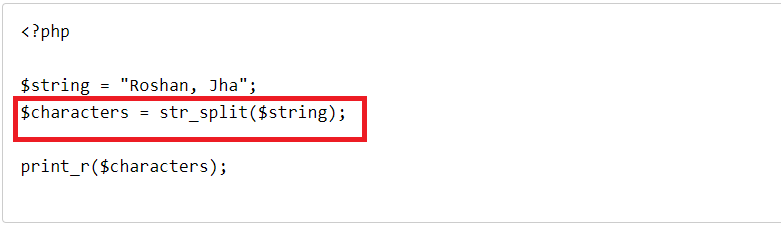
To explode every character into an array in Laravel, we can make use of the str_split function. This function takes a string as input and splits it into an array of characters. Let’s take a look at a live example to understand this better.
<?php

$string = "Roshan, Jha";
$characters = str_split($string);

print_r($characters);
Output:
Array
(
    [0] => R
    [1] => o
    [2] => s
    [3] => h
    [4] => a
    [5] => n
    [6] =>,
    [7] =>
    [8] => J
    [9] => h
    [10] => a

)
As you can see from the example above, the str_split function splits the string into an array, with each element representing a character. This allows us to perform various operations on the individual characters.
Practical Applications
The ability to explode every character into an array can be incredibly useful in various scenarios. Let’s explore some practical applications:
Character Count
By exploding every character into an array, you can easily count the number of characters in a string. This can be helpful when you need to validate the length of a user input or when you want to perform character-based analysis on a text.
String Manipulation
Once the string is split into an array of characters, you can manipulate each character individually. For example, you can capitalize or lowercase specific characters, replace certain characters with others, or extract specific characters based on certain conditions.
Data Processing
When dealing with large datasets, splitting strings into arrays of characters can simplify data processing tasks. You can iterate through each character, perform calculations or transformations, and store the results in a new array or database.
Conclusion
In conclusion, the ability to explode every character into an array in Laravel opens up a world of possibilities for string manipulation and data processing. By leveraging the str_split function, you can easily split strings into arrays of characters and perform various operations on them. This can greatly enhance the flexibility and efficiency of your Laravel applications.
