Introduction
Creating models in Laravel is an essential step in building your application. Models represent the data in your database and allow you to interact with it using an object-oriented approach. In this article, we will explore how to create models in Laravel using the command line interface.
What is a Model?
Before we dive into the details of creating a model in Laravel, let’s first understand what a model is. In Laravel, a model is a PHP class that represents a table in your database. It provides methods for querying and manipulating the data in the table. Models in Laravel follow the Active Record pattern, which means that a model instance is directly tied to a specific row in the table.
The Artisan Command
Laravel’s command line interface, Artisan, provides a convenient way to generate boilerplate code for various parts of your application, including models. To create a model using Artisan, open your terminal and navigate to your Laravel project directory.
Creating a Model
To create a model in Laravel using Artisan, use the following command:
php artisan make:model ShortLink
Replace ModelName with the desired name for your model. Make sure to use proper naming conventions, such as capitalizing the first letter of each word and using singular nouns.
Create Model with Migration using Laravel Artisan Command:
php artisan make:model ShortLink --migrationModel Structure
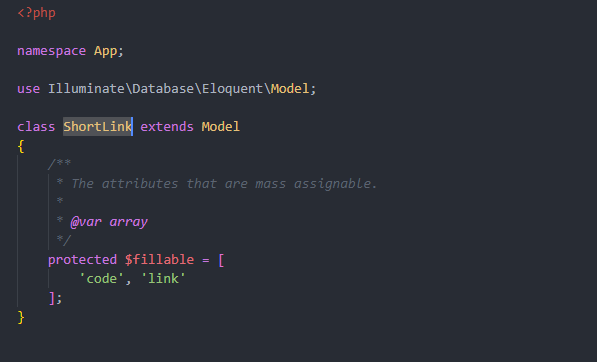
Once you run the make:model command, Laravel will generate a new PHP class in the app directory of your project. The class will extend Laravel’s base model class and provide a default set of properties and methods.
The $fillable Property
The $fillable property is an array that specifies which attributes of the model are mass assignable. By default, Laravel protects against mass assignment vulnerabilities by requiring you to explicitly define the fillable attributes. This prevents users from manipulating the request data and modifying sensitive attributes.
To define the fillable attributes, add them to the $fillable array in your model class. For example:
protected $fillable = ['code', 'link'];
The table Property
By default, Laravel assumes that the table name associated with a model is the plural form of the model’s class name. For example, if your model class is User, Laravel will assume that the corresponding table is named users. If your table name differs from this convention, you can override it by adding a table property to your model class. For example:
protected $table = 'short_links';
Conclusion
Creating models in Laravel using the command line interface is a straightforward process. By leveraging the power of Artisan, you can quickly generate the necessary boilerplate code and focus on building the core functionality of your application. Keep in mind the importance of properly defining the fillable attributes and specifying the table name if it deviates from the default convention.
