Step 1:- Add a function in controller
In my case GuestPostAdminController:-
 public function updateStatusEvery24Hours()
    {
        // Get all records from the Guest_post table
        $guestPosts = Guest_post::all();
        Log::info('Checking status for URLs: ' . json_encode($guestPosts));

        foreach ($guestPosts as $post) {
            // Check if 24 hours have passed since the last update
            $lastUpdated = Carbon::parse($post->updated_at);
            $currentTime = Carbon::now();

            // if ($currentTime->diffInMinutes($lastUpdated) >= 1) {
            // if ($currentTime->diffInHours($lastUpdated) >= 24) {
            //     // Perform the URL check (similar to your existing logic)
            //     $isUrlWorking = $this->checkIfUrlIsWorking($post->url);

            //     // Update the status in the database
            //     $post->update(['status' => $isUrlWorking]);

            //     // Log the URL and its status
            //     Log::info('URL: ' . $post->url . ', Status: ' . ($isUrlWorking ? 'Active' : 'Inactive'));
            // }

            if ($currentTime->diffInMinutes($lastUpdated) >= 1) {
                // Perform the URL check (similar to your existing logic)
                $isUrlWorking = $this->checkIfUrlIsWorking($post->url);

                // Update the status in the database
                $post->update(['status' => $isUrlWorking]);

                // Log the URL and its status
                Log::info('URL: ' . $post->url . ', Status: ' . ($isUrlWorking ? 'Active' : 'Inactive'));
            }
        }

        Log::info('Status update completed.');
    }

    protected function checkIfUrlIsWorking($url)
    {
        try {
            // Send a simple GET request and check if it's successful
            $response = Http::get($url);
            Log::info('Checking status for URL: ' . $url . ', Response: ' . $response->status());

            return $response->successful();
        } catch (\Exception $e) {
            Log::error('Error checking URL: ' . $url . ', Error: ' . $e->getMessage());
            return false; // Error occurred, website is not reachable
        }
    }
Step 2:- Create a command
php artisan make:command UpdateStatusEvery24Hours<?php
namespace App\Console\Commands;
use Illuminate\Console\Command;
use App\Http\Controllers\Admin\GuestPostAdminController;
class UpdateStatusEvery24Hours extends Command
{
/**
* The name and signature of the console command.
*
* @var string
*/
protected $signature = 'guestpost:update-status';
/**
* The console command description.
*
* @var string
*/
protected $description = 'Update status for URLs every 24 hours';
/**
* Execute the console command.
*
* @return int
*/
public function handle()
{
// Create an instance of your controller
$controller = new GuestPostAdminController;
// Call the controller function
$controller->updateStatusEvery24Hours();
$this->info('Status update completed.');
}
}
Step 3:- In your project
app\Console\Kernel.php
<?php

namespace App\Console;

use Illuminate\Console\Scheduling\Schedule;
use Illuminate\Foundation\Console\Kernel as ConsoleKernel;

class Kernel extends ConsoleKernel
{
    /**
     * Define the application's command schedule.
     *
     * @param  \Illuminate\Console\Scheduling\Schedule  $schedule
     * @return void
     */
    protected function schedule(Schedule $schedule)
    {
        // $schedule->command('guestpost:update-status')->daily();
        $schedule->command('guestpost:update-status')->everyMinute();

    }

    /**
     * Register the commands for the application.
     *
     * @return void
     */
    protected function commands()
    {
        $this->load(__DIR__.'/Commands');

        require base_path('routes/console.php');
    }
}
In local project, you can run commands after minute
php artisan schedule:run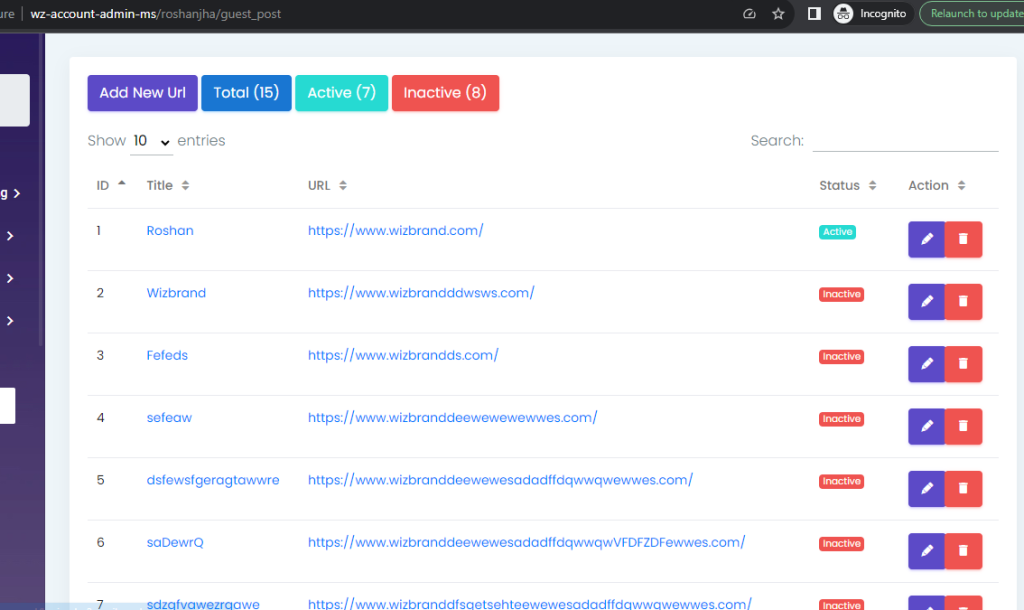
But when you live this code then you can put the command
Open crontab -e in your linux server
/opt/lampp
/opt/lampp# crontab -e
command:-
* * * * * cd /opt/lampp/htdocs/wizbrand/wz-account-admin-ms && php artisan schedule:run >> /dev/null 2>&1
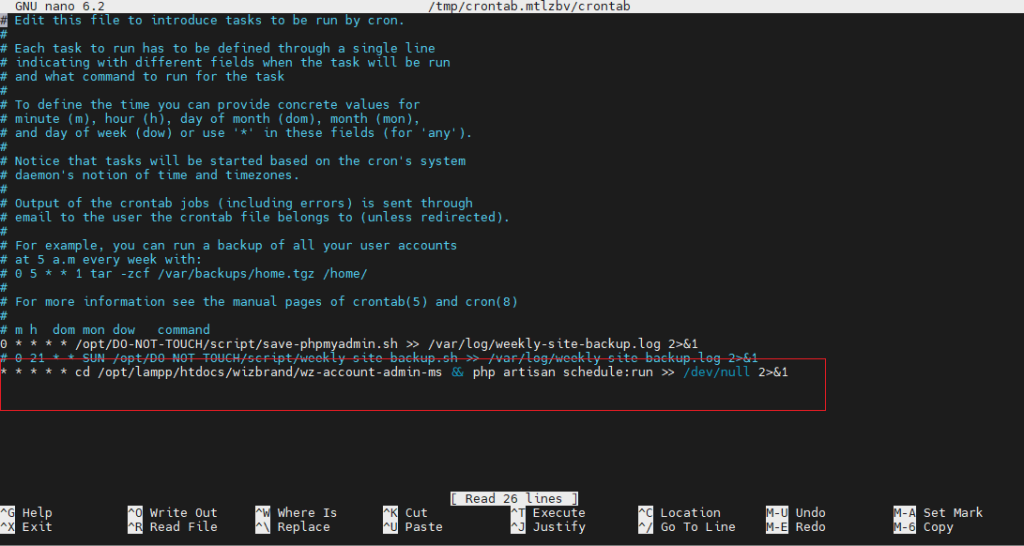
Output:-
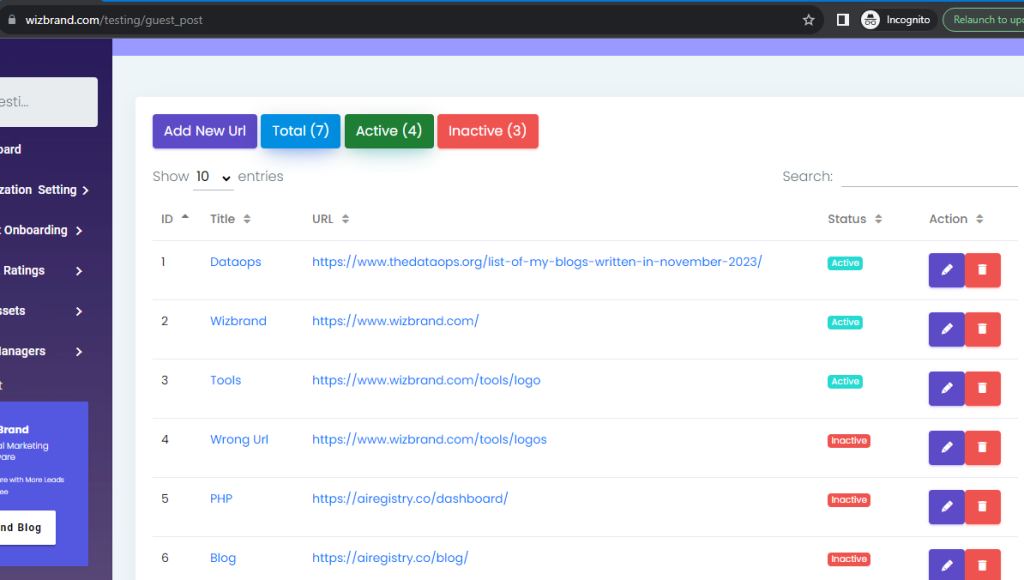
Automatically update status if url is Active or Inactive
Hopefully, It will help you…!!!!
