Introduction
Have you ever encountered a situation where you have a long list of checkboxes and you want to quickly check or uncheck all of them? In this blog post, we will explore how to achieve this using JQuery.
The Problem
Imagine you have a webpage with a form that contains a long list of checkboxes. It becomes tedious for the user to individually check or uncheck each checkbox. It would be much more convenient if there was a way to select or deselect all checkboxes with just a single click.
The Solution
Fortunately, JQuery provides an easy and elegant solution to this problem. By utilizing the power of JQuery selectors and event handling, we can create a simple and efficient script that allows users to check or uncheck all checkboxes on the page.
Step 1: Include JQuery Library
Before we begin, make sure you have the JQuery library included in your HTML file. You can either download the library and host it locally or include it from a CDN. Here’s an example of how to include JQuery from a CDN:
<script src="https://code.jquery.com/jquery-3.6.0.min.js"></script>Step 2: HTML Markup
<html lang="en">
<head>
	<title>Select and Deselect Checkbox</title>
	<script src="https://code.jquery.com/jquery-3.6.0.min.js"></script>
</head>
<body>
	<input name="subject_all" class="subject-all" type="checkbox">Select All<br/>
	<input value="1" name="subject" class="subject-list" type="checkbox">Subject 1
    <input value="2" name="subject" class="subject-list" type="checkbox">Subject 2
    <input value="3" name="subject" class="subject-list" type="checkbox">Subject 3
    <input value="4" name="subject" class="subject-list" type="checkbox">Subject 4
    <input value="5" name="subject" class="subject-list" type="checkbox">Subject 5
    <script type="text/javascript">
	    $('.subject-all').on('change', function() {
	    	if(this.checked){
		    	$('.subject-list').prop('checked', true);
	    	}else{
	    		$('.subject-list').prop('checked', false);
	    	}
		});
    </script>
</body>
</html>
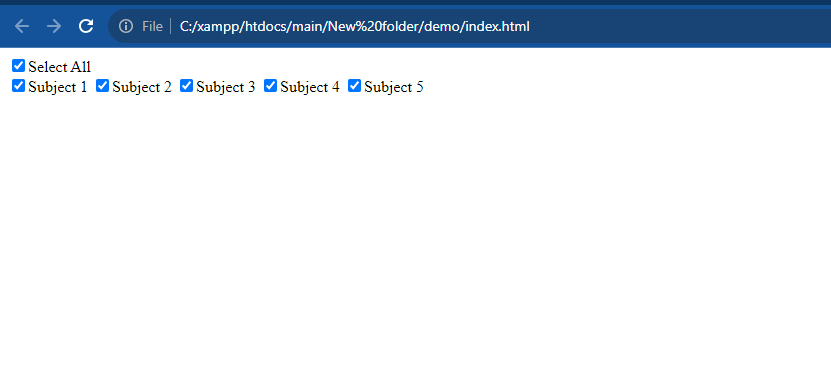
Output:- Select All
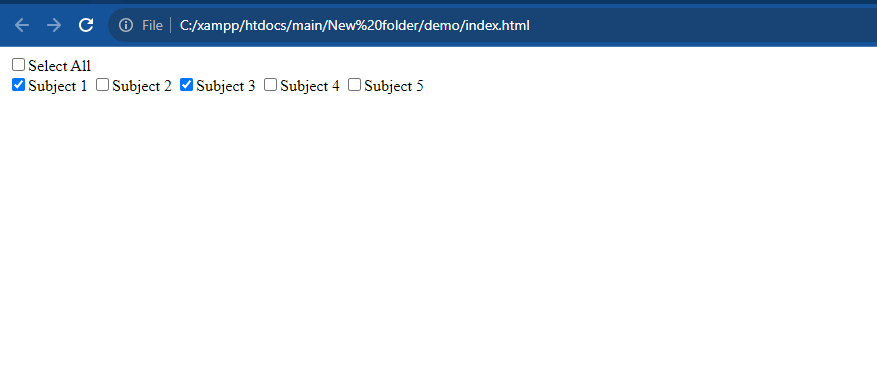
Output:- select multi-checkbox
It will help you ..!!!!
