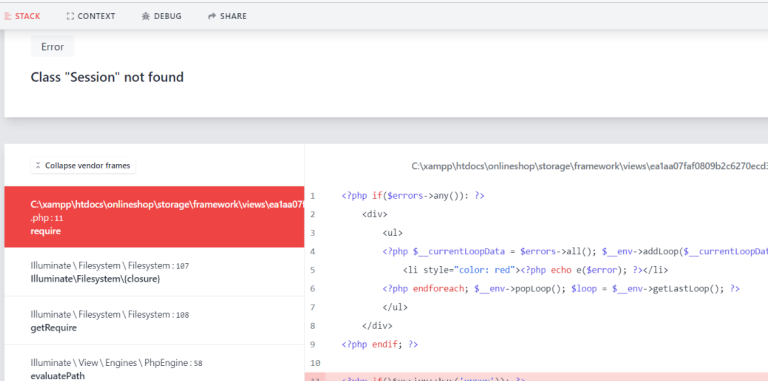
Laravel is a powerful PHP framework known for its elegant syntax and extensive features, including session management. However, sometimes developers encounter the error “Class ‘Session’ not found” when working with session-related functionalities. In this blog post, we’ll explore the causes of this error and provide solutions to resolve it effectively.
Understanding the Error
The error “Class ‘Session’ not found” typically occurs when attempting to access the Session class within a Laravel application, but the class cannot be found. This issue can arise due to several reasons, including misconfiguration, missing dependencies, or deprecated usage.
<!-- alert.blade.php -->
@if ($errors->any())
    <div>
        <ul>
        @foreach ($errors->all() as $error)
            <li style="color: red">{{ $error }}</li>
        @endforeach
        </ul>
    </div>
@endif

@if (Session::has('error'))
    <div>
        <ul>
            <li style="color: red">{{ Session::get('error') }}</li>
        </ul>
    </div>
@endif

@if (Session::has('success'))
    <div>
        <ul>
            <li style="color: green">{{ Session::get('success') }}</li>
        </ul>
    </div>
@endif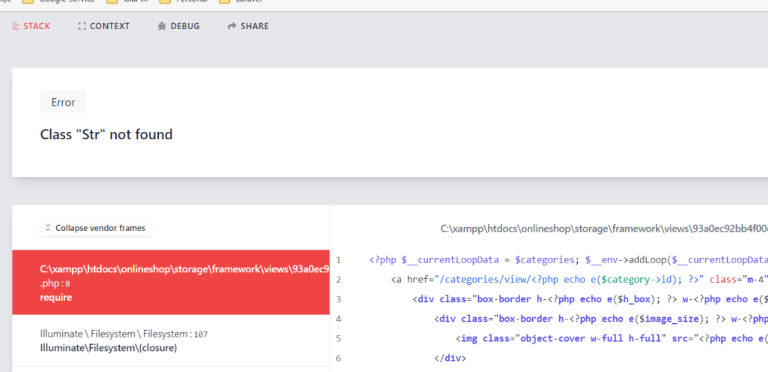
Common Causes of the Error
- Misconfiguration: If the Laravel session configuration is not properly set up, the framework may fail to load the necessary classes and dependencies.
- Namespace Conflict: In some cases, namespace conflicts may occur, preventing the application from locating the
Sessionclass. - Deprecated Usage: Laravel has evolved over time, and certain functionalities may have been deprecated in newer versions of the framework. Attempting to use deprecated features can result in class not found errors.
Solutions to Resolve the Error
1. Verify Session Configuration
Ensure that the session configuration in config/session.php is correctly set up. Pay attention to the session driver, session lifetime, and other settings. If necessary, regenerate the session configuration using the php artisan config:cache command.
2. Check Namespace Imports
Verify that the Session class is imported correctly at the top of the file where it is being used. The namespace for the Session class should be \Illuminate\Support\Facades\Session.
use Illuminate\Support\Facades\Session;Solution: To resolve the “Class ‘Session’ not found” error, we need to ensure that the Session class is properly accessed within the view.
Solution 1: Using Laravel’s session helper function:
@if (session()->has('error'))
    <div>
        <ul>
            <li style="color: red">{{ session()->get('error') }}</li>
        </ul>
    </div>
@endif

@if (session()->has('success'))
    <div>
        <ul>
            <li style="color: green">{{ session()->get('success') }}</li>
        </ul>
    </div>
@endif
Solution 2: Using Fully Qualified Class Names:
@if (\Illuminate\Support\Facades\Session::has('error'))
    <div>
        <ul>
            <li style="color: red">{{ \Illuminate\Support\Facades\Session::get('error') }}</li>
        </ul>
    </div>
@endif

@if (\Illuminate\Support\Facades\Session::has('success'))
    <div>
        <ul>
            <li style="color: green">{{ \Illuminate\Support\Facades\Session::get('success') }}</li>
        </ul>
    </div>
@endif
Hopefully, It will help you ..!!!
