Introduction
Have you ever wondered how to upgrade your PHP version in Ubuntu? Well, you’re in luck! In this blog post, we will explore the step-by-step process of upgrading your PHP version from 7.4 to 8 in Ubuntu. But before we dive into the technical details, let’s take a moment to understand why upgrading your PHP version is important.
Why Upgrade?
Upgrading your PHP version to the latest release offers several benefits. First and foremost, it ensures that you have access to the latest features and improvements introduced in the newer PHP version. This can enhance the performance, security, and stability of your web applications.
Moreover, upgrading PHP is essential for compatibility with the latest frameworks and libraries. Many modern frameworks and libraries require a minimum PHP version to function properly. By upgrading, you can take advantage of these frameworks and libraries and stay up-to-date with the latest industry standards.
Step-by-Step Guide
Now, let’s get into the nitty-gritty of upgrading your PHP version from 7.4 to 8 in Ubuntu. Follow the steps below:
Step 1: Update System Packages
Before we start the PHP upgrade process, it’s important to ensure that your system packages are up to date. Open your terminal and run the following command:
sudo apt update
sudo apt upgrade -y
This will update all the packages on your system, including PHP.
Step 2: Add PHP Repository
Next, we need to add the ondrej/php repository to our system. This repository provides the latest PHP packages for Ubuntu. Run the following commands in your terminal:
sudo apt install software-properties-common -y
sudo add-apt-repository ppa:ondrej/php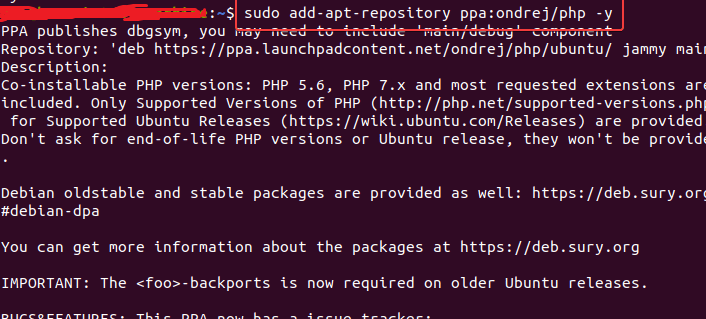
Step 3: Install PHP 8
Once the repository is added, we can proceed with installing PHP 8. Run the following command:
sudo apt install php8.0 -y
This will install PHP 8 and its dependencies on your system.
Step 4: Verify PHP Version
After the installation is complete, you can verify the PHP version by running the following command:
php -v
This will display the installed PHP version on your system.
Step 5: Update PHP Modules
Lastly, we need to update the PHP modules to match the newly installed PHP version. Run the following command:
sudo apt install php8.0-common php8.0-mysql php8.0-xml php8.0-curl php8.0-gd php8.0-imagick php8.0-cli php8.0-dev -y
This will update the PHP modules to be compatible with PHP 8.
