Are you struggling with managing your organization’s capacity? Do you find yourself constantly running into bottlenecks and delays due to lack of resources? If so, you may benefit from implementing DataOps for capacity management.
What is DataOps?
DataOps is a methodology that seeks to streamline the process of managing data within an organization. It involves a combination of tools, processes, and people to ensure that data is collected, processed, and analyzed efficiently.
Why Use DataOps for Capacity Management?
Capacity management is a critical aspect of any organization’s operations. It involves ensuring that the resources needed to carry out tasks are available when needed. DataOps can help with capacity management by providing the following benefits:
Improved Resource Planning
DataOps allows organizations to collect and analyze data on resource usage. This data can be used to identify patterns and trends, which can then be used to make more accurate predictions about future resource needs.
Faster Response Times
DataOps enables organizations to quickly respond to changes in demand. By analyzing real-time data on resource usage, organizations can adjust capacity as needed to meet demand.
Better Cost Management
DataOps can help organizations optimize their resource usage, which can lead to cost savings. By identifying areas where resources are being underutilized, organizations can make adjustments to ensure that resources are being used efficiently.
How to Implement DataOps for Capacity Management
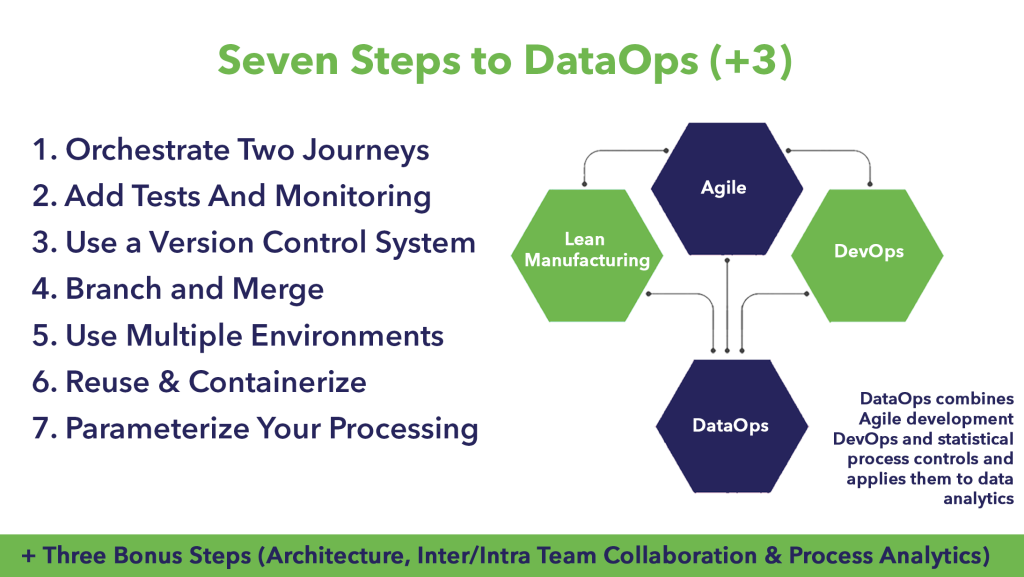
Implementing DataOps for capacity management involves the following steps:
Step 1: Identify Key Metrics
The first step in implementing DataOps for capacity management is to identify the key metrics that will be used to monitor resource usage. These metrics will vary depending on the organization and the resources being used.
Step 2: Collect Data
Once the key metrics have been identified, the next step is to collect data on resource usage. This data can be collected using a variety of tools, including monitoring tools and analytics software.
Step 3: Analyze Data
The next step is to analyze the data that has been collected. This involves identifying patterns and trends in the data and using this information to make predictions about future resource needs.
Step 4: Make Adjustments
Based on the insights gained from data analysis, organizations can make adjustments to capacity as needed. This may involve adding or removing resources, or adjusting resource allocation.
Conclusion
DataOps can be a powerful tool for managing capacity within an organization. By collecting and analyzing data on resource usage, organizations can make more accurate predictions about future resource needs, respond more quickly to changes in demand, and optimize resource usage to reduce costs. With the right tools and processes in place, implementing DataOps for capacity management can be a game-changer for any organization.
