In this tutorial I’m going to share how to convert PowerPoint to pdf files online through free tools. so let’s follow the tutorials I have demonstrated in a very easy way.
The function of PPT to PDF converter tool
The function of a PPT to PDF converter tool is to convert Microsoft PowerPoint files (PPT) into PDF format. PDF stands for Portable Document Format, and it is a widely used file format for sharing documents across different platforms and devices.
Converting a PPT file to PDF format can have several benefits, including:
- Compatibility: PDF files are more widely supported across different operating systems, devices, and web browsers, making it easier to share your presentation with others.
- Security: PDF files can be password-protected and encrypted, providing an additional layer of security to your presentation.
- Formatting: When you convert a PPT file to PDF format, the layout and formatting of your presentation are preserved, ensuring that your slides look the same on any device.
- Size: PDF files are usually smaller in size than PPT files, which can make them easier to share and store.
Overall, a PPT to PDF converter tool can be a useful tool for professionals who need to share their presentations with others in a secure and widely supported format.
The feature of PPT to PDF converter Tool
- Batch conversion: The ability to convert multiple PPT files to PDF format at once, saving time and effort.
- Customization options: The ability to customize the PDF output by selecting specific pages to convert, adjusting the page orientation, or choosing a compression level.
- High-quality output: The ability to convert PPT files to high-quality PDF files with sharp text and images.
- Security options: The ability to set a password or add security settings to the PDF file, protecting it from unauthorized access.
- Compatibility: The ability to convert PPT files of different versions to PDF format while retaining the formatting and layout.
- Integration: Some PPT to PDF converter tools may integrate with other software applications, making it easier to convert files from within those applications.
- User-friendly interface: A user-friendly interface that is easy to use and navigate, even for those who are not technically inclined.
Overall, a PPT to PDF converter tool should be easy to use, offer high-quality output, and have customization options to suit your specific needs.
How to use PPT to PDF converter tool online in Wizbrand
This is a very simple tool for using and it will give us the result very fast.
Step: 1 Click https://www.wizbrand.com/tools/
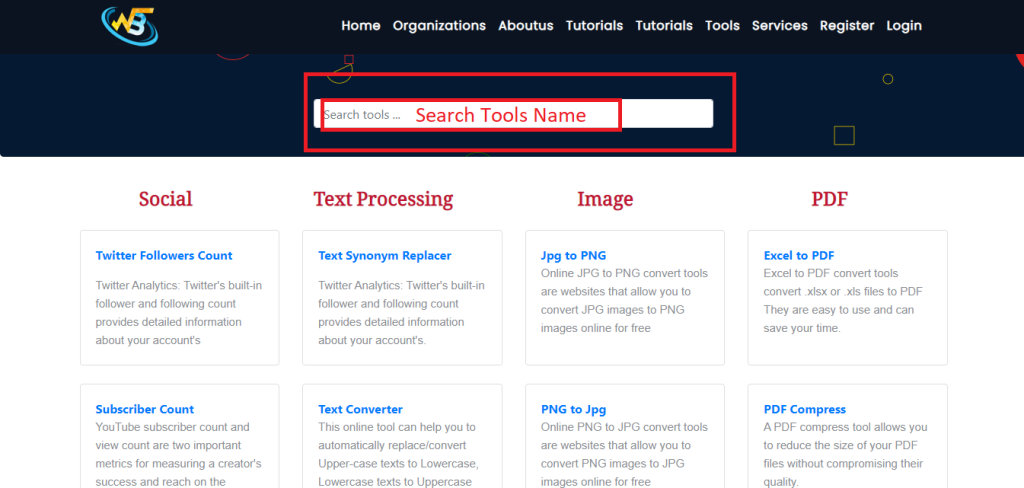
Step: 2 Upload the PPT file then click on the convert button

Output :-
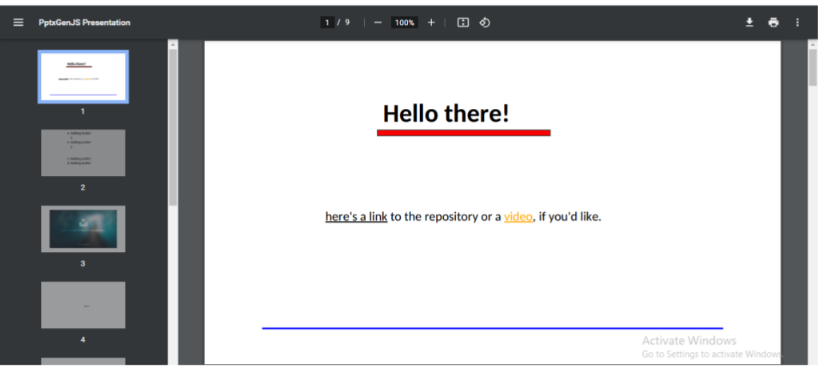
Follow the Links For Further Action
