To display JSON data on a Blade page in Laravel, you can follow these steps:
- Retrieve the JSON data in your controller:
- Fetch the JSON data from your data source, such as a database or an API.
- Convert the JSON data into a PHP array using the
json_decode()function. - Pass the array of JSON data to your Blade view.
- Access and display the JSON data in your Blade view:
- Use Blade’s syntax to access and display the JSON data within the HTML structure.
- Loop through the array using a
@foreachloop to iterate over each item in the JSON data. - Display the desired JSON properties within the HTML elements.
Step 1:- Controller
public function myordersearch(Request $request)
    {
        $id = Auth::user()->id;
        $search = $request->input('search');

        $query = paypal::query();

        if (!empty($search)) {
            $query->where(function ($q) use ($search) {
                $q->where('org_slug', 'LIKE', '%' . $search . '%')
                    ->orWhere('payer_id', 'LIKE', '%' . $search . '%')
                    ->orWhere('payment_id', 'LIKE', '%' . $search . '%')
                    ->orWhere('payment_status', 'LIKE', '%' . $search . '%')
                    ->orWhere('influencer_name', 'LIKE', '%' . $search . '%')
                    ->orWhere(function ($q) use ($search) {
                        $q->whereRaw("DATE_FORMAT(created_at, '%Y-%m-%d') LIKE ?", ['%' . $search . '%'])
                            ->orWhereRaw("DATE_FORMAT(created_at, '%Y-%m') LIKE ?", ['%' . $search . '%'])
                            ->orWhereRaw("DATE_FORMAT(created_at, '%Y') LIKE ?", ['%' . $search . '%']);
                    })
                    ->orWhereRaw("CONCAT(amount, ' ', currency) LIKE ?", ['%' . $search . '%']);
            });
        }

        $users = $query->where('admin_id', $id)->get();

        $names = [];
        foreach ($users as $order) {
            $influencerNames = json_decode($order->influencer_name, true);
            foreach ($influencerNames as $name) {
                $names[] = $name['influencer_name'];
            }
        }

        $formattedNames = implode(' | ', array_unique($names));

        return response()->json([
            'users' => $users,
            'formattedNames' => $formattedNames
        ]);
    }
Step 2:- With JavaScript
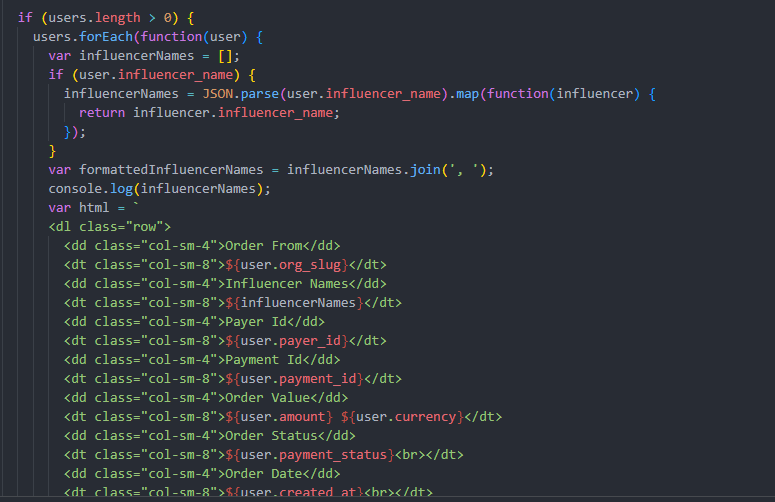
<script>
    document.addEventListener('DOMContentLoaded', function() {
      var filterInput = document.getElementById('filter_by_search');
      var rows = document.getElementsByClassName('order-row');
      var currentPage = 1; // Track the current page number

      filterInput.addEventListener('input', function() {
        var filterValue = filterInput.value.toLowerCase();

        // Perform AJAX request
        var xhr = new XMLHttpRequest();
        var url = getOrderRouteUrl(filterValue, currentPage); // Pass the current page number
        xhr.open('GET', url, true);

        xhr.onload = function() {
          if (xhr.status === 200) {
            var response = JSON.parse(xhr.responseText);
            var users = response.users;
            var formattedNames = response.formattedNames;
            var totalPages = response.totalPages; // Get the total number of pages

            var container = document.getElementById('order-details-container');
            container.innerHTML = ''; // Clear previous data

            console.log(response);

            if (users.length > 0) {
              users.forEach(function(user) {
                var influencerNames = [];
                if (user.influencer_name) {
                  influencerNames = JSON.parse(user.influencer_name).map(function(influencer) {
                    return influencer.influencer_name;
                  });
                }
                var formattedInfluencerNames = influencerNames.join(', ');
                console.log(influencerNames);
                var html = `
                <dl class="row">
                  <dd class="col-sm-4">Order From</dd>
                  <dt class="col-sm-8">${user.org_slug}</dt>
                  <dd class="col-sm-4">Influencer Names</dd>
                  <dt class="col-sm-8">${influencerNames}</dt>
                  <dd class="col-sm-4">Payer Id</dd>
                  <dt class="col-sm-8">${user.payer_id}</dt>
                  <dd class="col-sm-4">Payment Id</dd>
                  <dt class="col-sm-8">${user.payment_id}</dt>
                  <dd class="col-sm-4">Order Value</dd>
                  <dt class="col-sm-8">${user.amount} ${user.currency}</dt>
                  <dd class="col-sm-4">Order Status</dd>
                  <dt class="col-sm-8">${user.payment_status}<br></dt>
                  <dd class="col-sm-4">Order Date</dd>
                  <dt class="col-sm-8">${user.created_at}<br></dt>
                  <dd class="col-sm-4"></dd>
                  <dt class="col-sm-8">
                    <button type="button" class="btn btn-lg btn-secondary view-button" data-id="${user.id}">
                      Influencer Tasks
                    </button>
                  </dt>
                </dl>
                <dl class="row"></dl>
                <hr>
              `;
                container.innerHTML += html;
              });
            } else {
              container.innerHTML = 'No results found.';
            }

            if (filterValue === '') {
              window.location.reload(); // Reload the page
            }

            // Update pagination buttons
            updatePagination(totalPages);
          }
        };

        xhr.send();
      });

      function getOrderRouteUrl(filterValue, page) {
        var baseUrl = "{{ route('myorder_search') }}";
        var encodedFilterValue = encodeURIComponent(filterValue);
        return baseUrl + '?search=' + encodedFilterValue + '&page=' + page; // Include the page number in the URL
      }

      function updatePagination(totalPages) {
        var paginationContainer = document.getElementById('pagination-container');
        paginationContainer.innerHTML = ''; // Clear previous pagination buttons

        if (totalPages > 1) {
          for (var i = 1; i <= totalPages; i++) {
            var button = document.createElement('button');
            button.type = 'button';
            button.className = 'btn btn-link pagination-button';
            button.dataset.page = i;
            button.innerText = i;
            paginationContainer.appendChild(button);
          }
        }

        // Add event listener for pagination buttons
        var paginationButtons = document.getElementsByClassName('pagination-button');
        for (var j = 0; j < paginationButtons.length; j++) {
          paginationButtons[j].addEventListener('click', function() {
            currentPage = parseInt(this.dataset.page); // Update the current page
            filterInput.dispatchEvent(new Event('input')); // Trigger the input event to perform the search with the updated page
          });
        }
      }
    });
  </script>