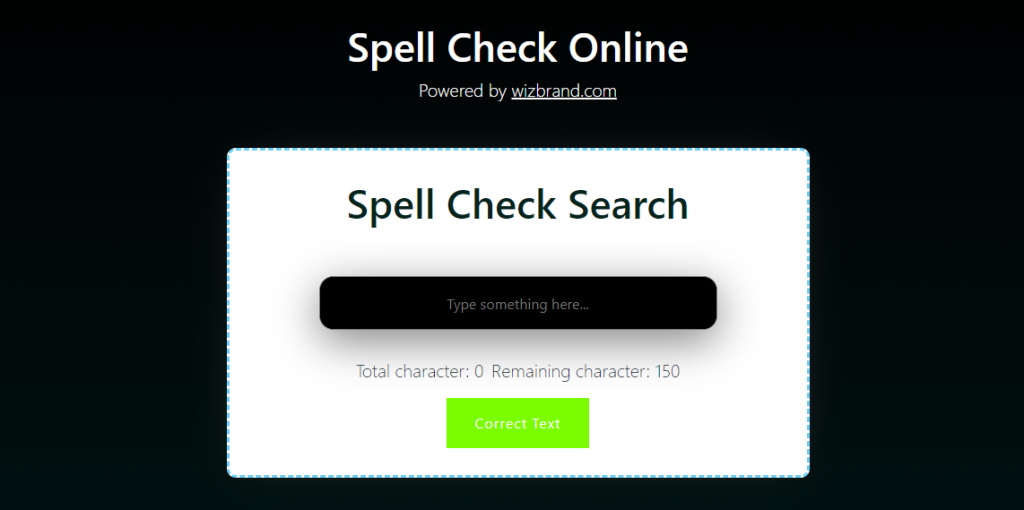
Step 1:- Create a html page
<div class="container">
<h1>Spell Check Search</h1>
<br><br>
<textarea id="textarea" class="textarea" maxlength="150" placeholder="Type something here..." required></textarea>
<div class="counter-container">
<p> Total character: <span id="total-counter"> 0 </span></p>
<p> Remaining character: <span id="remaining-counter"> 150</span></p>
</div>
<div class="butonwa">
<button id="Button">Correct Text </button>
<!-- <button id="copy"> Copy Text</button> -->
</div>
<!-- <ul id="synonymsList"></ul> -->
</div>Step 2:- Add on html page
<script src="script.js"></script>Step 3:- Create a script.js
const charVal = document.getElementById("textarea");
let totalcount = document.getElementById("total-counter");
let remainingcount = document.getElementById("remaining-counter");
const button= document.querySelector("#Button");
const copy=document.querySelector("#copy")

let userChar = 0;

const updateCounter = () => {
    totalcount.innerText = charVal.value.length;
    remainingcount.innerText = 150 - charVal.value.length;
};


                var textarea = document.getElementById("textarea");

                textarea.addEventListener("input", function() {
                  this.style.height = "60px";
                  this.style.height = (this.scrollHeight + 2) + "px";
                });


const copyText = async () => {
    charVal.select();
    charVal.setSelectionRange(0, 9999);
    navigator.clipboard.writeText(charVal.value);
}
const correctText = async ()=>{
    try {
        // send text to LanguageTool API for correction
        const response = await fetch("https://api.languagetool.org/v2/check", {
            method: "POST",
            headers: {
                "Content-Type": "application/x-www-form-urlencoded; charset=UTF-8"
            },
            body: new URLSearchParams({
                text: charVal.value,
                language: "en-US",
                enabledOnly: "false"
            })
        });

        const data = await response.json();

        const correctedText = data.matches.reduce((text, match) => {
            const startIndex = match.offset;
            const endIndex = match.offset + match.length;
            const replacement = match.replacements[0].value;
            return text.slice(0, startIndex) + replacement + text.slice(endIndex);
        }, charVal.value);


        charVal.value = correctedText;
    } catch (error) {
        console.error(error);
    }
};


charVal.addEventListener("keyup", updateCounter);

copy.addEventListener("click", async () => {
    await copyText();
});

button.addEventListener("click", async () => {
    await correctText();
});
Search:-
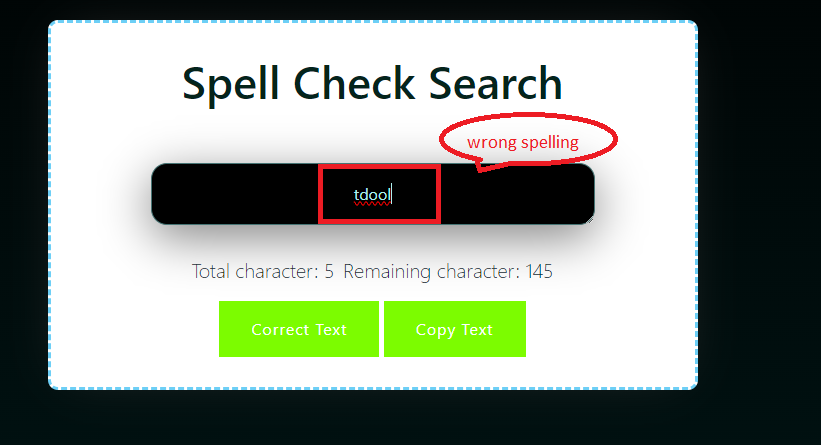
Output:-
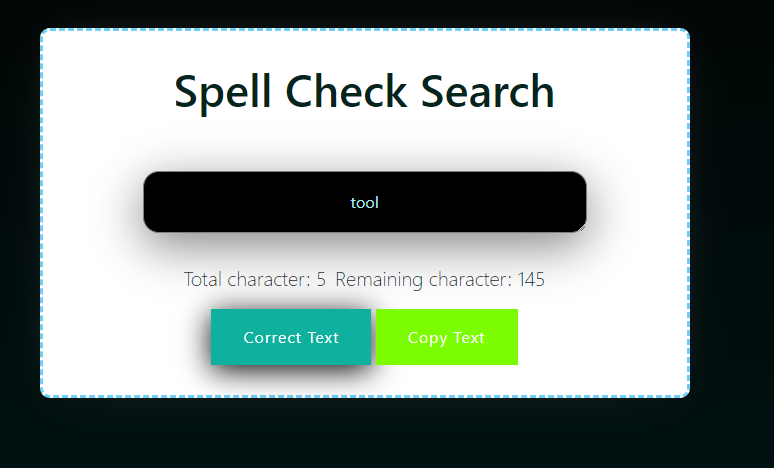
Add CSS what you want….
I hope it will help you … Happy Coding!!!!
