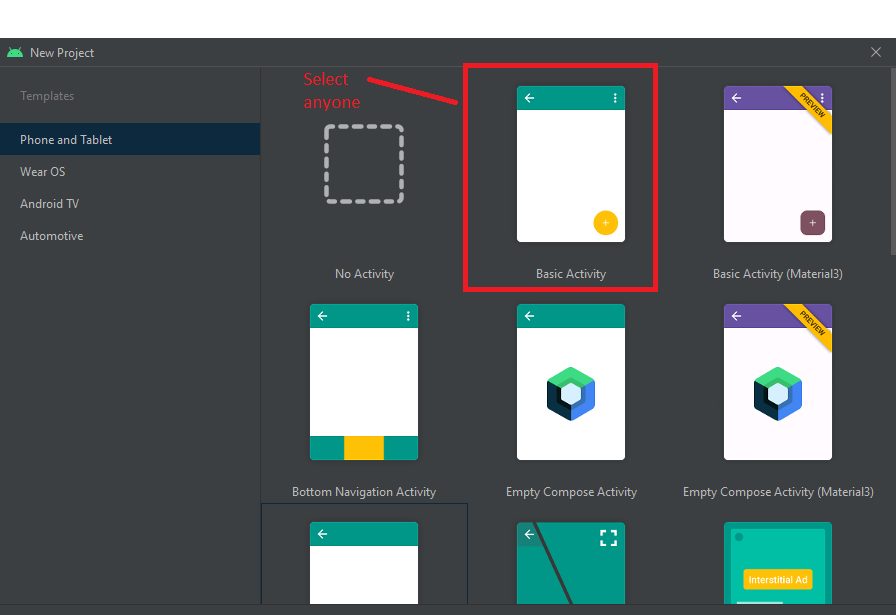
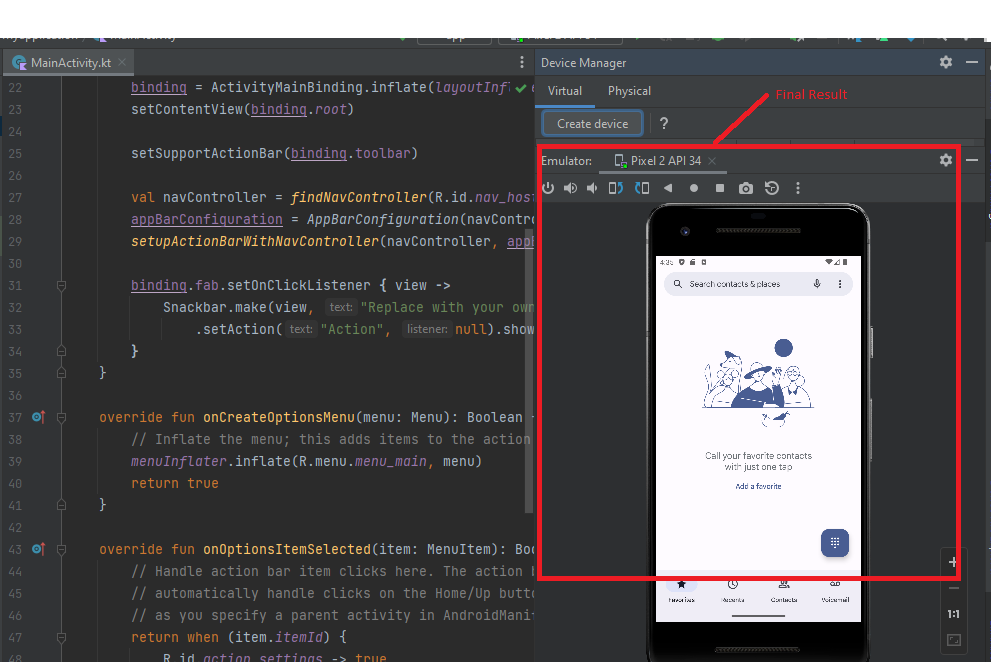
How to set up the Emulator in Android Studio

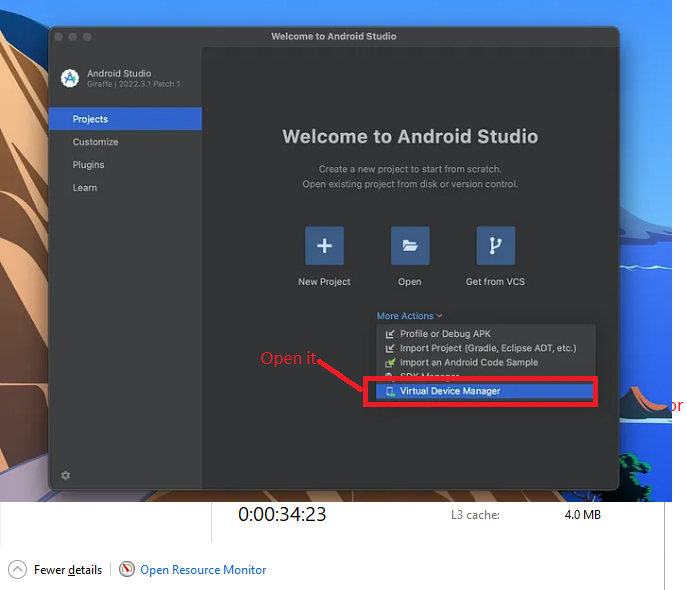
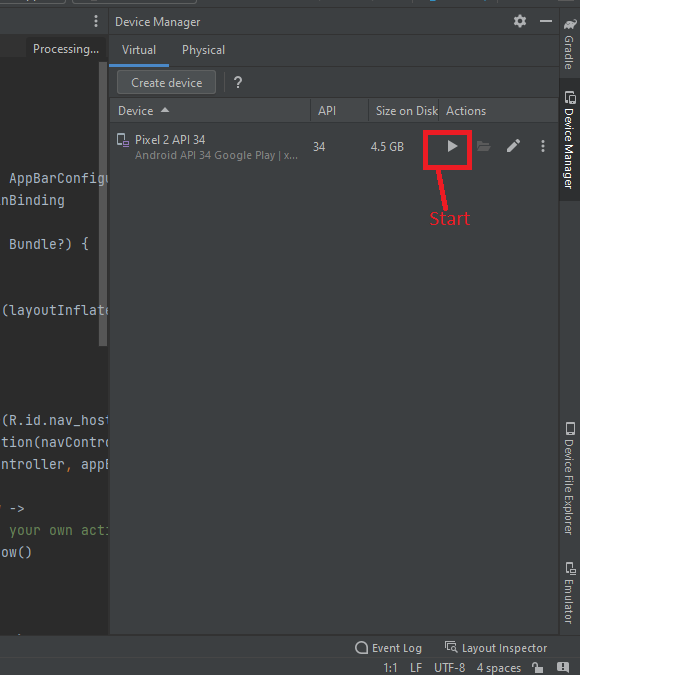
Step 1:- Open Android Studio. In the dropdown menu, click on Virtual Device Manager.
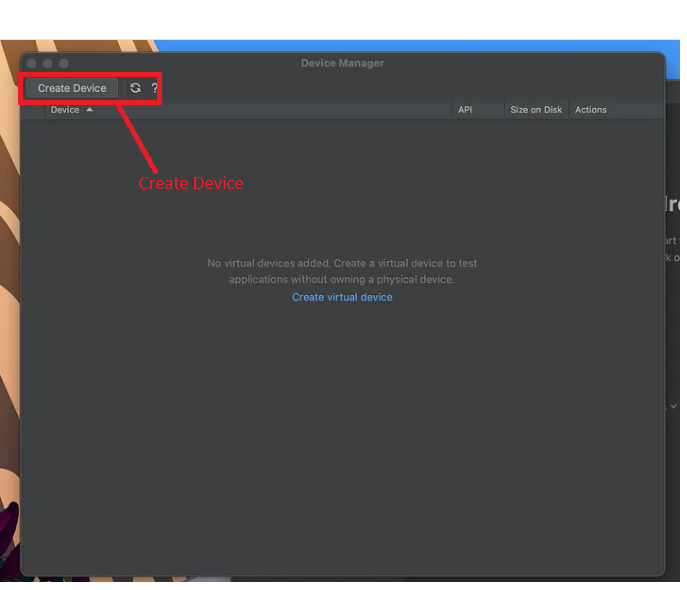
Instead of “Create Device,” click on “Add Device” in the top left corner of the Device Manager window.

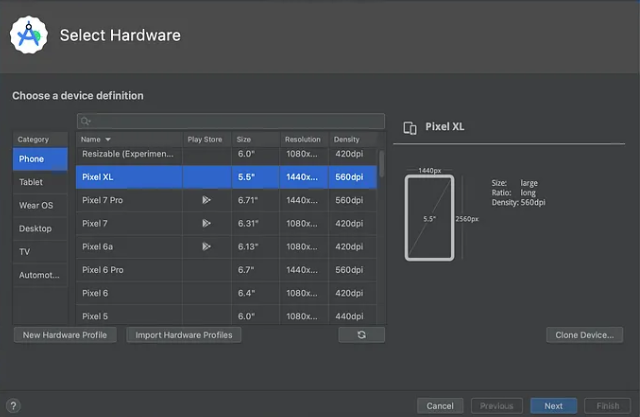
It’s advised to generate an AVD for each system image, but for the sake of simplicity, we’ll just create a single one. For a more detailed guide on creating AVDs, select “Pixel XL” or any other phone model that fits your requirements, then proceed by clicking “Next”.
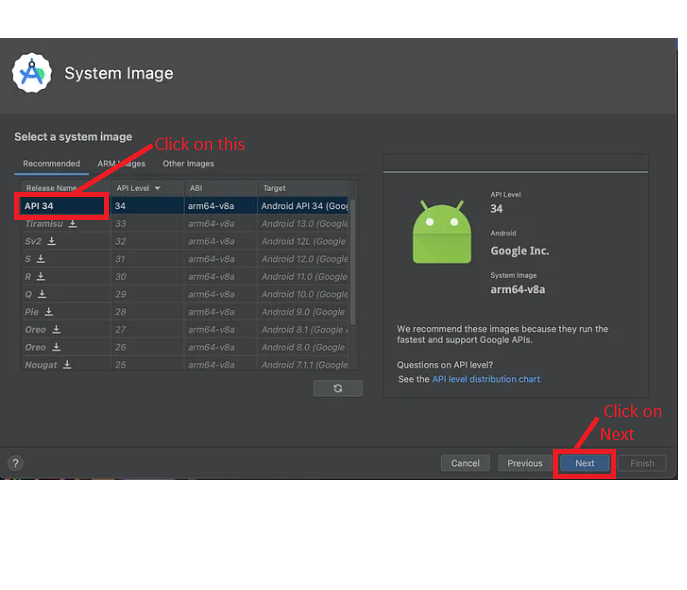
Following that, choose a hardware profile. For this instance, I’ll opt for “API 34”, then proceed by clicking “Next”.
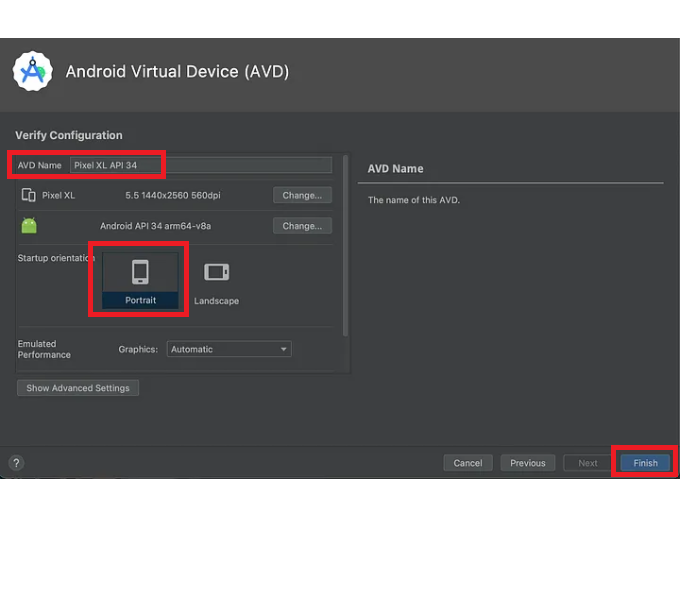
Upon reaching the “Verify Configuration” window, adjust the AVD properties according to your preferences, then finalize by clicking “Finish”.
Fantastic! Your device has been successfully created.

Step 2:- Open Android studio
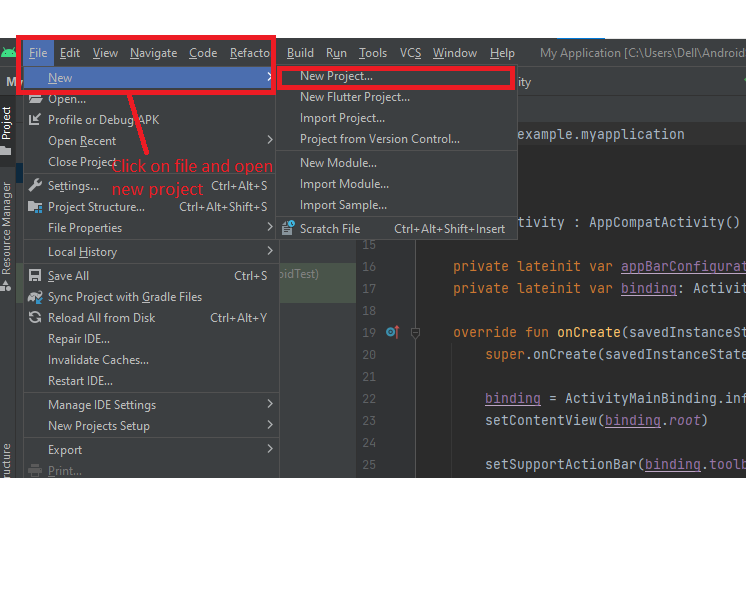
And last open one project

Output:-

Run the Device
Hopefully, It will help you …!!!

Related Posts

Strategic DevOps Career Growth and High Salary Skills

Introduction The digital landscape is shifting rapidly. As companies across the globe transition to cloud-native infrastructures, the demand for professionals who can bridge the gap between development…

Read More

Top DevOps Certifications: Dominate Kubernetes, Cloud, And Automation

Introduction The cloud infrastructure world is moving faster than ever, and the demand for production-ready engineering talent is breaking records. Teams everywhere are desperately trying to bridge…

Read More

Streamlining Distributed Pipelines with DataOps Multi-Cloud Data Management

Introduction Modern business operations generate massive amounts of information every single second. To store, process, and analyze this information, organizations no longer rely on a single data…

Read More

Ultimate DataOps Automation Tools Guide: Build and Orchestrate Scalable Pipelines

Introduction Modern enterprises run on data, yet managing the underlying infrastructure remains a massive operational challenge. Historically, data workflows were handled manually. Data engineers wrote custom scripts,…

Read More

Accelerate Your Pipeline: Implementing Real-Time DataOps

Introduction Real-time DataOps is a critical evolution in how modern organizations manage the constant flow of information. By integrating automation, continuous testing, and real-time processing, businesses can…

Read More

Calculate Your Canada PR Points: The Complete Guide to Boosting Your CRS Score

Introduction Canada uses an objective, merit-based points system to select the most qualified candidates from around the world. To assess your chances, you need to use a…

Read More
Subscribe
Notify of
guest
0 Comments
Oldest
Newest Most Voted
Inline Feedbacks
View all comments
0
Would love your thoughts, please comment.x
()
x