WebView is a powerful component in Android development that allows developers to embed web content directly into their applications. While initially loading a static URL is straightforward, there are scenarios where developers might need to dynamically change the website URL during runtime. In this blog post, we’ll explore how to achieve this functionality effectively.

Using WebView to Display Websites: WebView is commonly used in Android apps to display web content, such as websites, within the app’s user interface. Typically, developers initialize a WebView with a specific URL using the loadUrl() method.
Example:-
..loadRequest(Uri.parse('https://www.wizbrand.com/tools/all-in-one'));Step 1:- Import Dependencies in main.dart
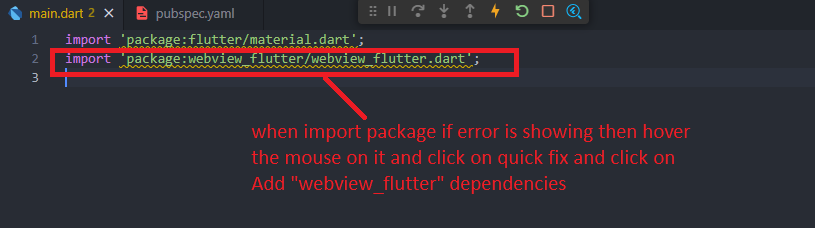
Step 2:- Import from https://pub.dev/packages/webview_flutter/install
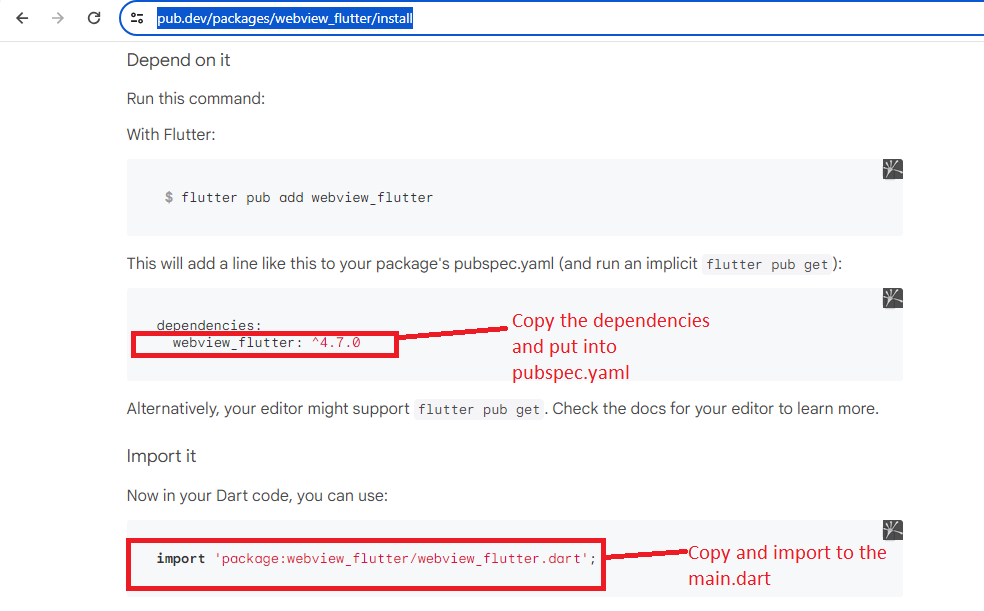
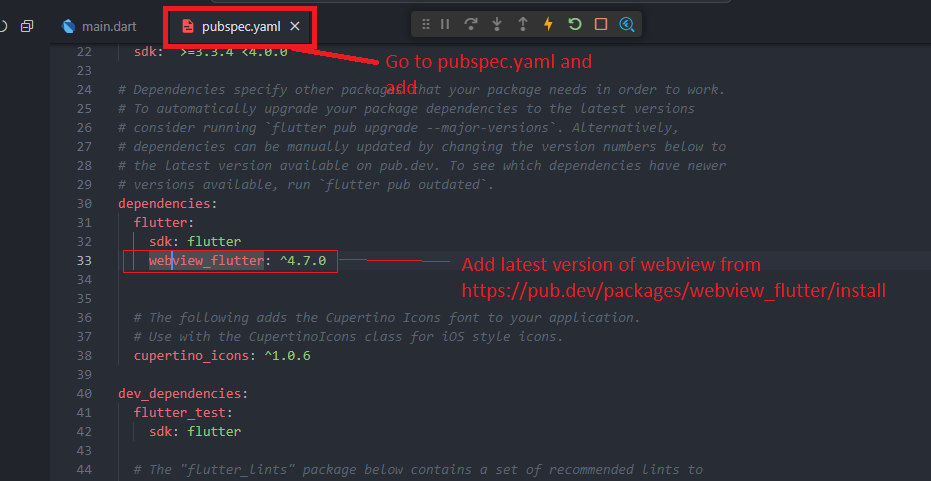
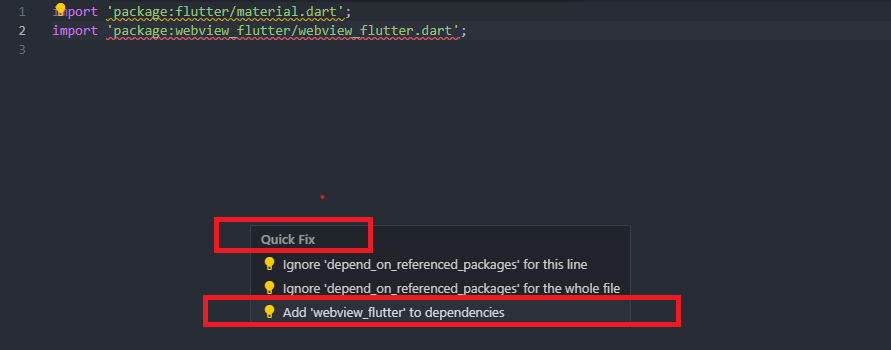
Step 3:- If the import dependencies file is not found in main.dart
Mouse Hover on the package and then click on Quick Fix-> Add’webview_flutter’ to dependencies
Step 4:- Write a code in main.dart
import 'package:flutter/material.dart';
import 'package:webview_flutter/webview_flutter.dart';

void main() {
 runApp(const MyApp());
}

class MyApp extends StatelessWidget {
  const MyApp({super.key});

  @override
  Widget build(BuildContext context) {
    return MaterialApp(
      title: 'All In One',
      theme: ThemeData(
        primarySwatch: Colors.amber,
      ),
    home: const WebViewDemo(),
    );
  }
}

class WebViewDemo extends StatefulWidget {
  const WebViewDemo({super.key});

  @override
  State<WebViewDemo> createState() => _MyWidgetState();
}

class _MyWidgetState extends State<WebViewDemo> {
  WebViewController controller = WebViewController();
  @override
void initState(){
  super.initState();
  controller
  ..setJavaScriptMode(JavaScriptMode.unrestricted)
  ..setBackgroundColor(const Color(0x00000000))
  ..setNavigationDelegate(NavigationDelegate(
     onProgress: (progress) => {},
     onPageStarted: (url) => {},
     onPageFinished: (url) => {},
  ))
  ..loadRequest(Uri.parse('https://www.wizbrand.com/tools/all-in-one'));
}

  @override
  Widget build(BuildContext context) {
    return Scaffold(
      backgroundColor: Colors.white,
      appBar: AppBar(
        title: const Text('Tools')
      ),
body: WebViewWidget(controller: controller),
    );
  }
}
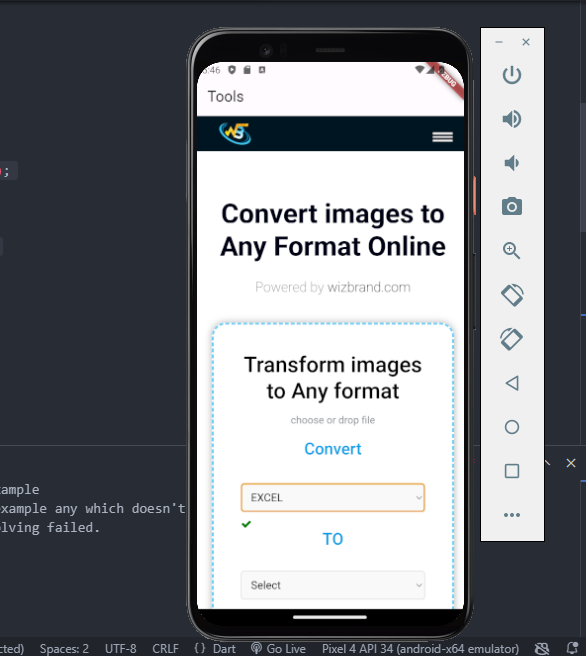
Output:- Refresh the Emulator
Hopefully, It will help you…!!
