Step 1:- Create a page
Put where you want
<form id="form" class="btn rounded-top" style="background: -webkit-linear-gradient(to right, #c31432, #240b36);">
                        <div class="form-group">
                            <input type="file" name="" id="file" required accept=".pdf" class="btn rounded">
                        </div>
                        <div class="form-group " id="result"> </div>
                        <button class="btn">
                            Download PDF
                        </button>
                    </form>
Step 2:- Write a script code
<script src="https://cdnjs.cloudflare.com/ajax/libs/pdf.js/2.12.313/pdf.min.js"></script>
<script src="https://unpkg.com/pdf-lib@1.3.0"></script>
<script src="https://unpkg.com/downloadjs@1.4.7"></script>

<script>
    const {
        PDFDocument
    } = PDFLib;

    let form = document.getElementById('form');
    let inputElement = document.getElementById('file');
    let selectedPages = [];
    let typedarray;

    form.addEventListener('submit', (e) => {
        e.preventDefault();

        for (var option of document.getElementById("pages").options) {
            if (option.selected) {
                selectedPages.push(option.value);
            }
        }

        console.log(selectedPages);

        extractSelectedPages(typedarray, selectedPages);
    });

    inputElement.onchange = function(event) {
        var file = event.target.files[0];

        var fileReader = new FileReader();

        fileReader.onload = function() {
            typedarray = new Uint8Array(this.result);

            const loadingTask = pdfjsLib.getDocument(typedarray);

            loadingTask.promise.then(async (pdf) => {
                let pages = [];

                for (let i = 0; i < pdf.numPages; i++) {
                    pages.push(i + 1);
                }
                let html = `
                        <label for="select pages">Select Pages of PDF You want to Split:</label>
                        <select id="pages" class="form-control" name="sites-list" size="${pdf.numPages}" multiple>
                        ${appendOption(pages)}
                        </select>`;

                document.getElementById('result').innerHTML = html;
                document.getElementById('result').style.display = "block";
            });
        };

        fileReader.readAsArrayBuffer(file);
    };

    function appendOption(pages) {
        let html = '';

        pages.forEach(page => {
            html += `
                    <option value="${page}">${page}</option>`;
        });

        return html;
    }

    window.onmousedown = function(e) {
        var el = e.target;
        if (
            el.tagName.toLowerCase() == "option" &&
            el.parentNode.hasAttribute("multiple")
        ) {
            e.preventDefault();

            if (el.hasAttribute("selected")) el.removeAttribute("selected");
            else el.setAttribute("selected", "");

            var select = el.parentNode.cloneNode(true);
            el.parentNode.parentNode.replaceChild(select, el.parentNode);
        }
    };

    async function extractSelectedPages(typedarray, selectedPages) {
        const pdfDoc = await PDFDocument.load(typedarray);
        const selectedPdfDoc = await PDFDocument.create();

        for (const pageNum of selectedPages) {
            const [copiedPage] = await selectedPdfDoc.copyPages(pdfDoc, [pageNum - 1]);
            selectedPdfDoc.addPage(copiedPage);
        }

        const pdfBytes = await selectedPdfDoc.save();

        download(pdfBytes, "SelectedPages.pdf", "application/pdf");
    }

    function download(data, filename, mimeType) {
        const blob = new Blob([data], {
            type: mimeType
        });
        const url = window.URL.createObjectURL(blob);
        const a = document.createElement('a');
        a.href = url;
        a.download = filename;
        a.click();
        window.URL.revokeObjectURL(url);
    }
</script>
Output:- Upload a pdf pages file and select which page you want to split
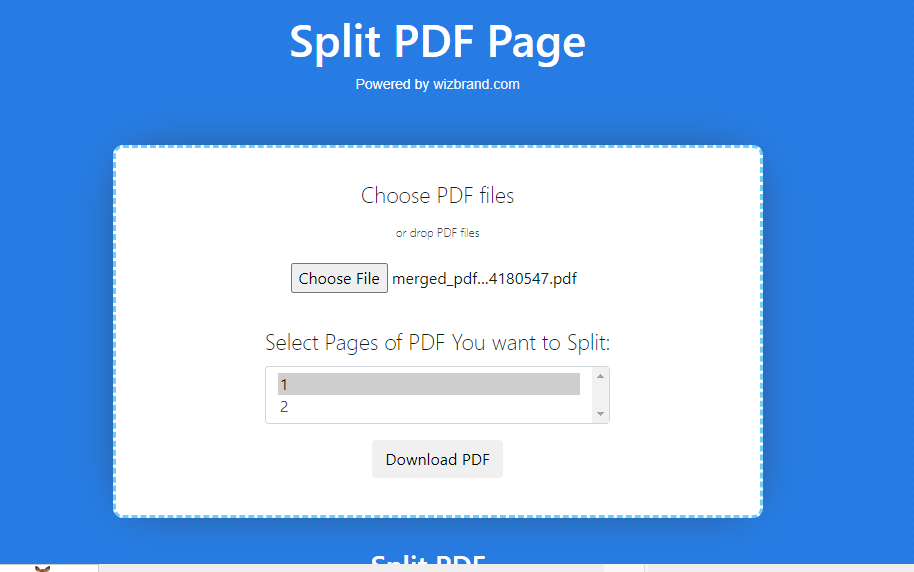
Then Select Fill will be downloaded
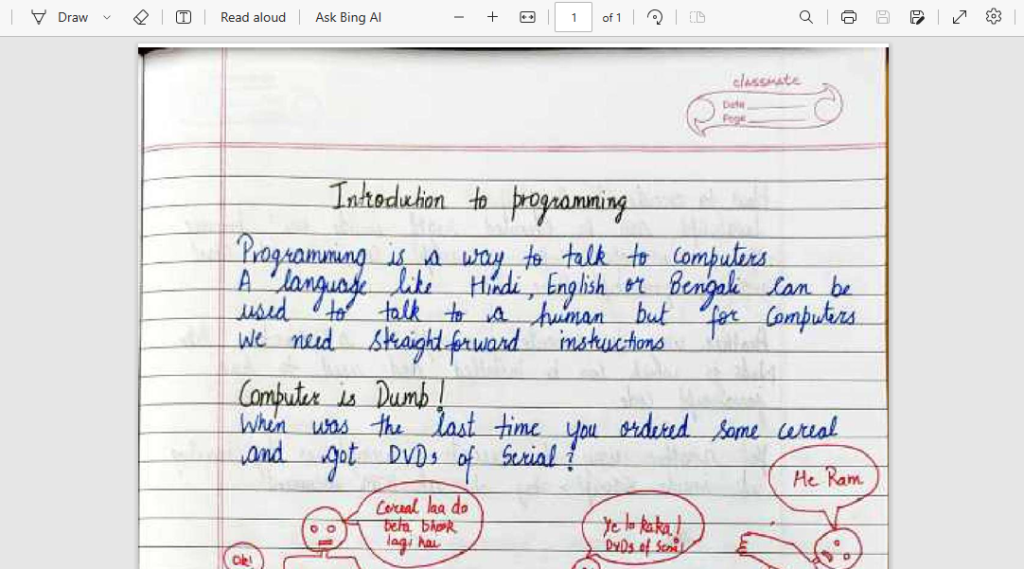
You see above there are two pages and in the download pdf, there is only one page.
Hopefully, This will help you …!!!
