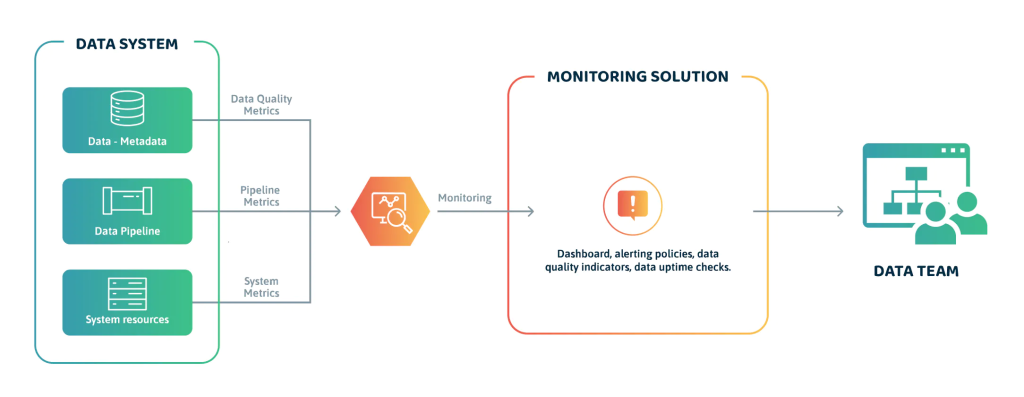
Are you tired of slow and inefficient performance monitoring methods? Do you want to optimize your data analysis processes and improve your business results? Look no further than DataOps!
What Is DataOps?
DataOps is a methodology that combines Agile, DevOps, and Lean principles to streamline data analysis processes, improve collaboration, and increase efficiency. It involves automating data operations, integrating data sources, and ensuring data quality, security, and compliance.
Why Use DataOps For Performance Monitoring?
DataOps can help you improve your performance monitoring by:
- Automating data collection and analysis
- Providing real-time insights and alerts
- Ensuring data quality and consistency
- Enabling continuous improvement and innovation
- Facilitating collaboration and communication
How To Implement DataOps For Performance Monitoring
- Define Your Objectives
Before you start implementing DataOps, you need to define your performance monitoring objectives. What are your key performance indicators (KPIs)? What metrics do you want to track? What are your data sources and formats? - Build Your Data Pipeline
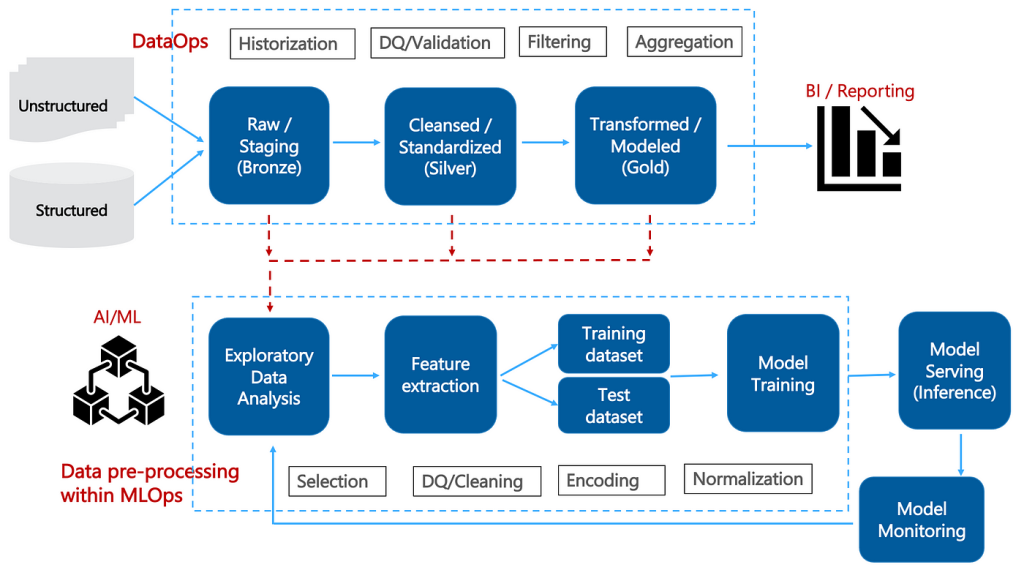
Once you have defined your objectives, you need to build your data pipeline. This involves collecting, processing, and storing your data in a structured and scalable way. You can use tools like Apache Kafka, Apache Spark, and AWS Glue to automate your data pipeline. - Ensure Data Quality
Data quality is crucial for accurate performance monitoring. You need to ensure that your data is complete, accurate, consistent, and up-to-date. You can use tools like Apache Nifi, Apache Flink, and AWS Data Quality to ensure data quality.
- Analyze Your Data
Once you have collected and processed your data, you need to analyze it to extract insights and identify trends. You can use tools like Apache Zeppelin, Apache Superset, and AWS QuickSight to analyze your data and create visualizations. - Monitor Your Performance
Once you have analyzed your data, you need to monitor your performance in real-time. You can use tools like Grafana, Kibana, and AWS CloudWatch to monitor your performance and receive alerts when your KPIs exceed or fall below your thresholds.
Conclusion
DataOps is a powerful methodology that can help you optimize your performance monitoring processes and improve your business results. By automating data operations, ensuring data quality, and providing real-time insights, DataOps can help you stay ahead of the competition and drive innovation. So why wait? Start using DataOps for performance monitoring today!
