When working with Git, you may encounter various errors while pushing your changes to a remote repository. One such error is “src refspec master does not match any,” which indicates that Git couldn’t find the specified branch to push. This error typically occurs when you haven’t committed any changes to your local repository or when the branch you’re trying to push doesn’t exist locally. In this blog post, we’ll explore the causes of this error and how to resolve it effectively.
Understanding the Error:
The “src refspec master does not match any” error occurs when Git is unable to find the specified branch (usually ‘master’) to push to the remote repository. This can happen for several reasons, including:
- No Commits: If you haven’t made any commits in your local repository, there won’t be any changes to push to the remote repository.
- Incorrect Branch Name: If you’re trying to push changes from a branch that doesn’t exist locally or has a different name, Git will fail to find the specified branch and display the error.
- Misconfigured Remote: In some cases, the remote repository may not be properly configured in your local Git repository, leading to issues when pushing changes.
Solution:
To resolve the “src refspec master does not match any” error, follow these steps:
1. Commit Your Changes: Before pushing changes to the remote repository, ensure that you’ve committed your changes locally using the following commands:
git add .
git commit -m "Your commit message"
2. Verify Branch Name: Check if you’re on the correct branch and if the branch exists locally. You can list all branches using:
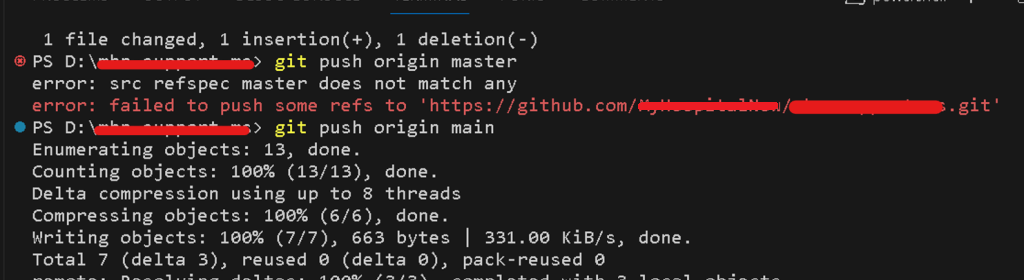
git branch3. Push Changes: Once you’ve committed your changes and verified the branch and remote configuration, you can push the changes to the remote repository:
git push origin <branch-name>git push origin mainUpdate Remote Repository: After pushing your changes to the “main” branch, update the default branch on the remote repository. You can do this in the repository settings on GitHub or GitLab, depending on your hosting platform.
