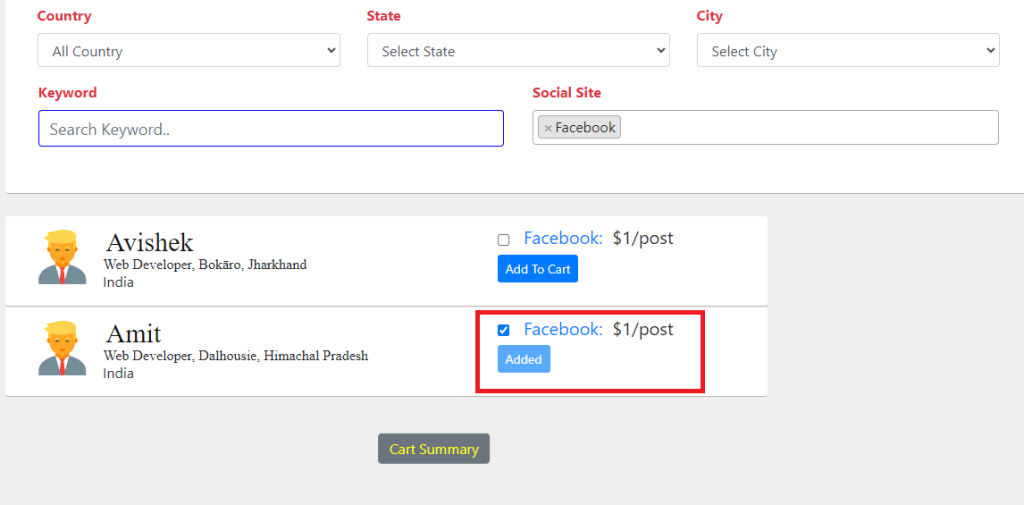
When click On button Changing Button Names
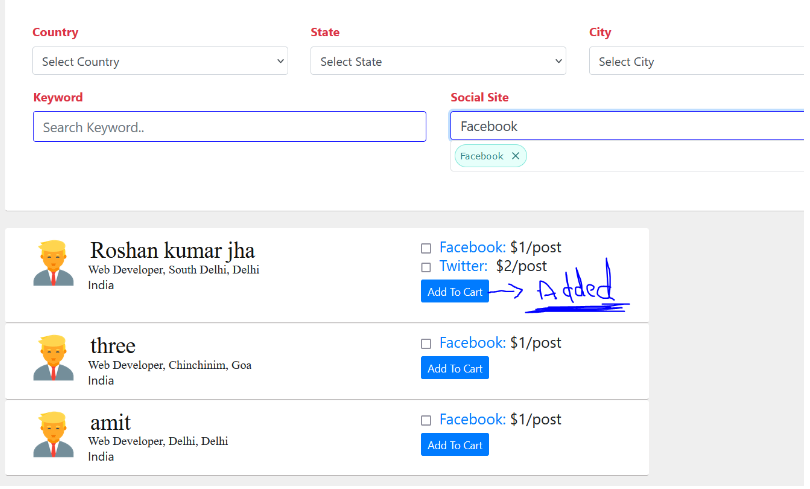
In HTML Part :-
@foreach($filteredData as $item)
<form class="add_to_cart_form" data-item-id="{{ $item->id }}" id="add_to_cart_form" enctype="multipart/form-data" role="form">
@csrf
<div class="social">
<!-- <span class="border border-success"> -->
<div class="buttons" id="my_checkbox">
@if (!empty($item->face_price))
<input type="checkbox" class="btn" name="face_price" id="" value="{{ $item->face_price }}">
<a href="{{$item->facebook}}" target="_blank"> Facebook:</a>
${{ $item->face_price }}/post</span><br><br>
@else
<input type="hidden" value="" name="">
@endif
@else
<button type="submit" id="sample_form_pic{{ $item->id }}" class="btn btn-sm py-1 btn-primary me-2">Add To Cart</button>
@endif
</div>
</div>
</form>
@endforeachIn javascript :-
<script src="https://code.jquery.com/jquery-3.6.0.min.js"></script>
<script>
  $(document).ready(function() {
    $('.add_to_cart_form').submit(function(e) {
        e.preventDefault(); // Prevent form submission
        if ($(this).find(':checkbox:checked').length === 0) {
            alert('Please click on a checkbox.'); // Display warning message
            return;
        }
        // Get the button ID based on the form's data-item-id attribute
        var itemId = $(this).data('item-id');
        var buttonId = '#sample_form_pic' + itemId;

        // Serialize the form data
        var formData = $(this).serialize();

        // Send the Ajax request
        $.ajax({
            url: 'add_summary', // Replace with the actual route URL
            type: 'POST',
            data: formData,
            success: function(response) {
                // Handle the success response here

                // For example, you can update the UI to show that the item is added
                $(buttonId).text('Added').attr('disabled', true);
            },
            error: function(xhr) {
                // Handle the error response here
            }
        });
    });
});


</script>
Output:-