In SQL Server, there are several types of JOIN operations that allow you to combine data from multiple tables based on specified conditions. Here are the commonly used JOIN types in SQL Server:
- INNER JOIN:
- Syntax:
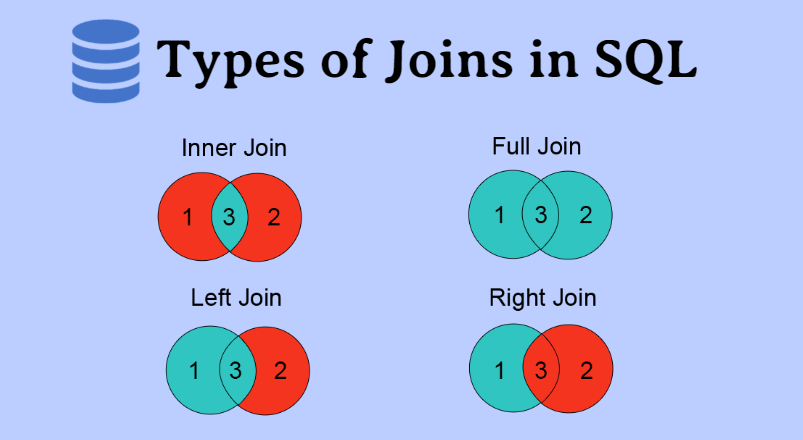
SELECT columns FROM table1 INNER JOIN table2 ON condition - Function: Returns only the rows where there is a match between the columns being joined in both tables. It combines the matching rows from both tables into the result set.
- Syntax:
- LEFT JOIN (or LEFT OUTER JOIN):
- Syntax:
SELECT columns FROM table1 LEFT JOIN table2 ON condition - Function: Returns all rows from the left (first) table and the matching rows from the right (second) table. If there is no match, NULL values are returned for the columns of the right table.
- Syntax:
- RIGHT JOIN (or RIGHT OUTER JOIN):
- Syntax:
SELECT columns FROM table1 RIGHT JOIN table2 ON condition - Function: Returns all rows from the right (second) table and the matching rows from the left (first) table. If there is no match, NULL values are returned for the columns of the left table.
- Syntax:
- FULL JOIN (or FULL OUTER JOIN):
- Syntax:
SELECT columns FROM table1 FULL JOIN table2 ON condition - Function: Returns all rows from both tables and combines the matching rows. If there is no match, NULL values are returned for the non-matching columns.
- Syntax:
- CROSS JOIN:
- Syntax:
SELECT columns FROM table1 CROSS JOIN table2 - Function: Returns the Cartesian product of both tables, generating all possible combinations of rows. It does not require any specific condition for joining.
- Syntax:
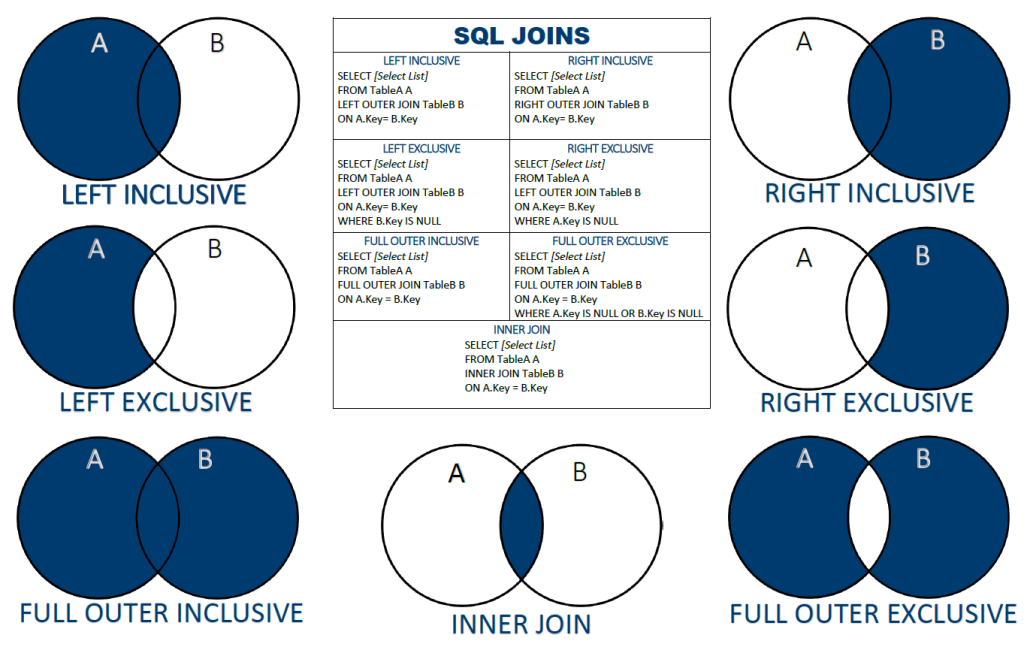
Note: In addition to the above JOIN types, SQL Server also supports other advanced JOINs such as SELF JOIN (joining a table to itself) and OUTER APPLY (applying a table-valued function to each row). These are less commonly used but can be useful in specific scenarios.
When using JOINs in SQL Server, you need to specify the join condition using the ON keyword, which defines how the tables should be linked. The result set will include columns from both tables based on the specified JOIN type and conditions.
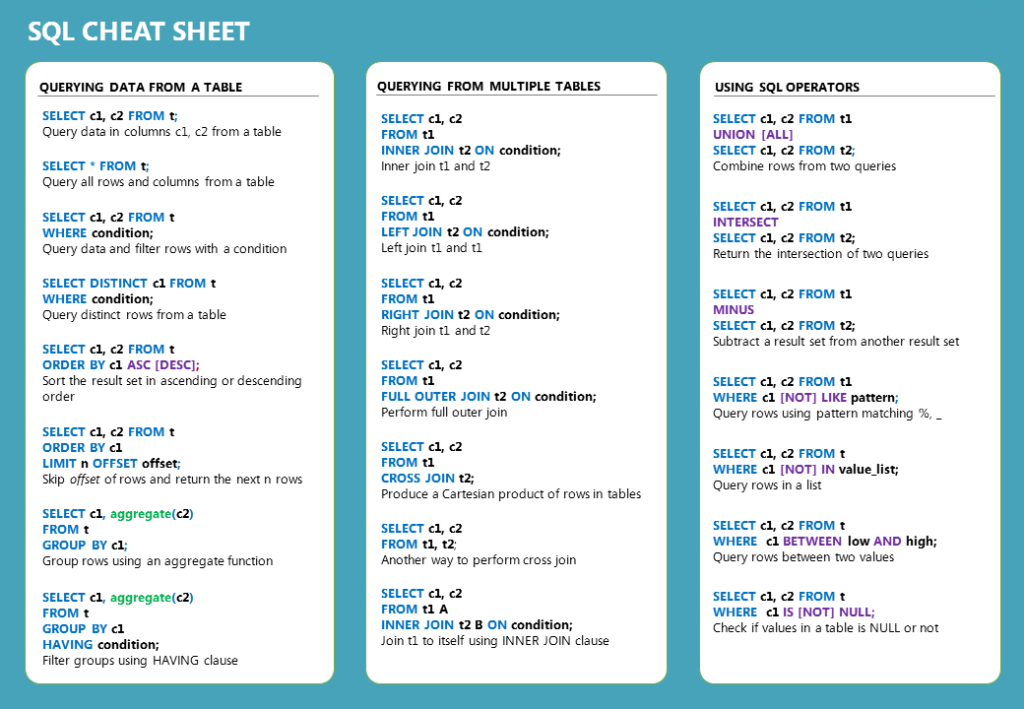
By understanding and utilizing different types of JOINs, you can effectively retrieve and combine data from multiple tables in SQL Server to meet your specific data querying and analysis requirements.
